If you have listed the same holiday home on Airbnb and Booking.com, you’ve probably already asked yourself this question:
Can I automatically sync prices using iCal as well?
The short answer is:
No, iCal doesn’t sync Airbnb and Booking.com rates.
iCal is primarily meant for sharing Calendar Information, such as busy dates and unavailability.
It can then be used to achieve a configuration such as:
Airbnb ⇄ availability ⇄ Booking.com
but not to obtain:
Airbnb ⇄ prices ⇄ Booking.com
To automatically synchronize prices and availability between the two platforms, it is necessary to use a more advanced connectivity system, generally a Channel Manager or PMS compatible with Airbnb and Booking.com.
Let’s see why in detail.
What does iCal sync between Airbnb and Booking.com?
iCal is a standard used to exchange information between calendars.
Airbnb allows, for example, to export your calendar through a URL and import calendars from other sites, including Booking.com. The stated purpose of the feature is to keep the available dates up to date and prevent two guests from booking the same period through different platforms.
The operation is therefore mainly this:
Airbnb booking
↓
Busy dates on Airbnb
↓
iCal feed
↓
Booking.com reads the calendar
↓
Blocked dates also on Booking.com
By configuring the opposite path as well, you can get:
Airbnb ⇄ Booking.com
But what is synchronized through this mechanism is the Calendar, not the price list.
Example: I change the price on Airbnb, what happens on Booking.com?
Let’s say the price of a night is:
Airbnb: 100 €
Booking.com: 100 €
You decide to change Airbnb:
Airbnb: 130 €
If Airbnb and Booking.com are connected only through iCal, Booking.com the price will not automatically become 130 €.
You may therefore have:
Airbnb: 130 €
Booking.com: 100 €
even if the two calendars are perfectly synchronized.
This is because the iCal feed does not contain a system designed to manage and distribute OTA trade rates.
So what syncs iCal and what doesn’t?
The simplest distinction is this:
| Information | iCal |
|---|---|
| Booked dates | ✅ |
| Busy/blocked dates | ✅ |
| Calendar availability | ✅ |
| Nightly Rate | ❌ |
| Rates | ❌ |
| Promotions | ❌ |
| Discounts | ❌ |
| Minimum stay | ❌ |
| Rates per number of guests | ❌ |
| Pricing Plans | ❌ |
| Advanced restrictions | ❌ |
In other words:
iCal = calendar
not:
iCal = Commercial Accommodation Management
Why can Airbnb sync prices with a Channel Manager but not with iCal?
Because they are two different technologies.
Airbnb explicitly distinguishes between regular calendar syncing and calendar syncing. Software connections via PMS or Channel Manager.
For listings connected via software, Airbnb also allows you to choose a synchronization mode dedicated to Pricing and Availability.
The flow then becomes:
Channel Manager
↓
Price + Availability
↓
Airbnb
The Channel Manager isn’t just sending a calendar .ics.
It is communicating with Airbnb through a software integration designed to transmit structured business data.
And Booking.com?
The principle is very similar.
Booking.com has specific APIs dedicated to Rates & Availability, i.e. rates and availability.
Official documentation allows connectivity providers to update prices by specifying the facility, room type, rate plan and date.
Booking.com describes its connectivity system as a tool through which it is possible to:
Synchronize availability and manage rates.
This communication is done via API and not via iCal.
Can I connect directly to Booking.com’s API?
For a normal property owner, generally not.
Booking.com currently specifies that individual facilities cannot directly make a new connection to the Connectivity API.
The solution indicated is to connect the structure through a Channel Manager.
The concept then becomes:
Booking.com
↑
Channel Manager
↓
Airbnb
Instead of manually changing prices and availability on both platforms, the Channel Manager can become the central place to send updates from.
How does rate synchronization work with a Channel Manager?
Suppose you manage:
Rome Vacation Rentals
Published on:
Airbnb
e:
Booking.com
With a compatible system, you can set a rate centrally.
For example:
Channel Manager → 120 €
The software can then send:
120 € → Airbnb
e:
120 € → Booking.com
The flow becomes:
Airbnb ← Channel Manager → Booking.com
This is very different from the iCal setup:
Airbnb ⇄ iCal ⇄ Booking.com
In the first case, software integrations are used that can manage pricing and availability.
In the second, mainly calendar information is exchanged.
Does a Channel Manager always synchronize the same prices?
Not necessarily.
And it is important to understand this.
Having a Channel Manager does not mean being forced to sell to the same price on Airbnb and Booking.com.
A management system can allow different strategies to be applied for each channel, depending on the features available.
You might have, for example:
Base price: 100 €
and set:
Airbnb: 110 €
Booking.com: 115 €
Direct site: 100 €
This can be useful because each channel may have different trading conditions, commissions, promotions, and strategies.
The goal of rate synchronization isn’t necessarily to have the same price everywhere.
The goal is to be able to Manage rates centrally.
Warning: price sent and price seen by the guest are not always the same thing
Even when a Channel Manager successfully syncs a rate, the final price displayed to the guest may differ between Airbnb and Booking.com.
This may depend, for example, on the configuration of:
promotions, discounts, fees, taxes, surcharges, or other platform-specific rules.
Airbnb reports, for example, that promotions and discounts set directly on the platform can lead to differences from the price received by the connected software.
So:
Synchronized base fare ≠ necessarily identical final price on OTAs
This is normal.
Can I use iCal to sync availability and manually manage pricing?
Yes.
And it’s probably the easiest setup for many small hosts.
You can use:
Airbnb ⇄ iCal ⇄ Booking.com
to keep busy dates in sync.
Then manage separately:
Airbnb Pricing
e:
Prices Booking.com
This solution can be perfectly adequate if you manage one or a few properties and only change your rates occasionally.
Practical example without Channel Manager
Suppose you manage an apartment.
You have set:
Airbnb → 120 €
Booking.com → 125 €
Calendars are synchronized using iCal.
Get an Airbnb reservation from August 10 to August 15.
The flow will be:
Airbnb booking
↓
Busy Airbnb dates
↓
iCal
↓
Booking.com blocks August 10-15
The price Booking.com will remain, however:
125 €
for all other dates.
Synchronizing the reservation does not change the price list.
Can I sync my site’s price as well?
It depends on the software used.
If you’re using a Booking Engine that supports iCal, you can use iCal to sync your Availability:
Airbnb → website
Booking.com → site
and, when supported:
Airbnb → website
→ Booking.com website
But once again:
iCal does not automatically synchronize rates.
You may therefore have:
Direct site: 100 €
Airbnb: 110 €
Booking.com: 115 €
but keeping the busy dates in sync.
This can also be an interesting commercial strategy to incentivize Direct bookings on your website.
Can I use Airbnb Smart Pricing and sync it to Booking.com?
Not through iCal.
Airbnb has a feature called Smart Pricing, which can automatically change the price of nights based on various factors and demand.
But if Airbnb automatically changes:
100 € → 125 €
It does not mean that Booking.com will receive:
125 €
through the iCal calendar.
Pricing remains a feature of the Airbnb platform.
For a dynamic strategy centralized across multiple OTAs, you need to use a system that is compatible with both platforms.
Can I manually set the same price on Airbnb and Booking.com?
Of course yes.
You can decide to use the same base price on both OTAs and update it manually.
For example:
Airbnb: 120 €
Booking.com: 120 €
When you want to increase it:
Airbnb: 140 €
and then manually:
Booking.com: 140 €
In the meantime, iCal will continue to deal exclusively with the synchronization of dates.
The problem with this system arises when you have to manage a lot of dates.
If you have:
365 days
×
5 apartments
×
3 portals
Manual fare management can quickly become complex.
When is iCal enough?
iCal can be enough if you manage a few facilities and your main goal is to prevent the same dates from being available on multiple portals at the same time.
It is particularly suitable when:
- you mainly use Airbnb and Booking.com;
- change prices only occasionally;
- you don’t have many types of tariffs;
- you do not use complex revenue management strategies;
- you want to synchronize your calendar above all.
In this scenario, you can maintain:
Airbnb ⇄ availability ⇄ Booking.com
and manage rates separately.
When is a Channel Manager worthwhile?
The Channel Manager becomes much more interesting when you have to manage at the same time:
many facilities + many channels + many tariff changes.
For example, if you manage 10 apartments and want to change the price of next weekend from:
100 € → 150 €
It can be much more efficient to make the change centrally rather than going into each portal individually.
Airbnb recognizes among the advantages of Channel Managers the possibility of centralizing data such as Availability and prices and reduce fare discrepancies between different channels.
iCal or Channel Manager?
The difference can be summarized as follows:
| Function | iCal | Channel Manager |
|---|---|---|
| Sync busy dates | ✅ | ✅ |
| Airbnb ↔ Booking.com | ✅ | ✅ |
| Sync rates | ❌ | ✅* |
| Manage prices centrally | ❌ | ✅* |
| Update availability | ✅ | ✅ |
| Promotions | ❌ | It depends |
| Pricing Plans | ❌ | It depends |
| Restrictions | ❌ | ✅* |
| Connecting via API | ❌ | ✅ |
| Easy setup | ✅ | It depends |
*Depends on Channel Manager features and integrations available with each OTA.
Why shouldn’t you try to use iCal for pricing?
Because iCal is simply the wrong tool.
Its task is basically to say:
This date is occupied
or:
This date is not available
It’s not designed to say:
This room costs €125
This price is valid for 2 people
This pricing plan is non-refundable
This rate requires a minimum of 3 nights
This weekend has a 10% discount
To transmit information of this type, specific data structures and APIs are required.
Booking.com has separate connections for functions such as Reservations, Rates and Availability, Promotions, Messaging and other areas.
The best solution for a small holiday home
If you manage one or two properties, you don’t necessarily need to use a Channel Manager right away.
A simple setup can be:
Airbnb ⇄ iCal ⇄ Booking.com
for availability.
Then:
Airbnb pricing → manual management
Manual Pricing Booking.com → Management
Site Pricing → Manual Management
This way you use iCal for what it does best: prevent busy dates from remaining available on other channels.
What if I also want to receive direct bookings?
You can add your site Booking Engine to the system.
The structure becomes:
Airbnb
↕
Booking Engine
↕
Booking.com
Calendars can communicate via iCal, while on the site you can set your own dedicated price list.
For example:
Direct site: 100 €
Airbnb: 110 €
Booking.com: 115 €
Availability remains synchronized, while the pricing strategy may be different for each channel.
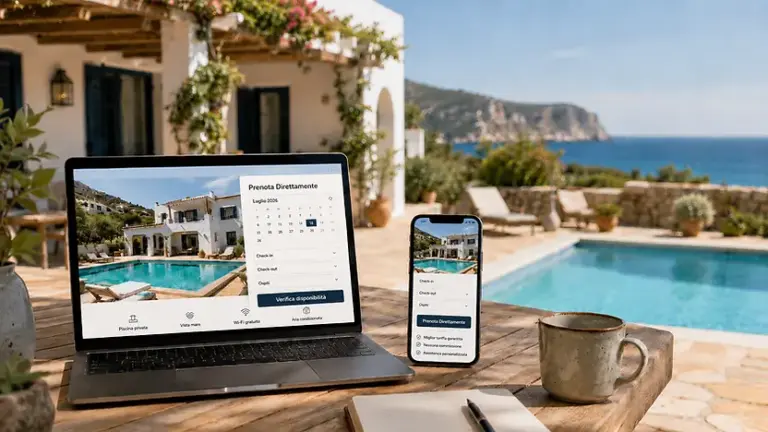
With a WordPress Booking Engine compatible with iCal, you can therefore also combine OTAs with a Direct booking channel, without necessarily using iCal for something it wasn’t designed for.
Synchronizing prices and availability: So what’s the solution?
It depends on what you want to sync.
If you just want to:
avoid bookings on the same dates
It may be enough:
iCal
If you want instead:
Synchronize dates + rates
You need to evaluate:
Channel Manager / PMS with compatible integrations
If you want to:
also receive direct bookings from your site
You can add:
Booking Engine
The three technologies should not be confused.
They have different functions.
Conclusion
So, Can Airbnb and Booking.com rates be synced via iCal?
The answer is:
No.
iCal can be used primarily to synchronize calendars, busy dates and unavailability.
You can get:
Airbnb ⇄ iCal ⇄ Booking.com
But this link does not mean:
Airbnb ⇄ prices ⇄ Booking.com
If you change a rate on Airbnb, the Booking.com price isn’t automatically updated through the iCal feed.
To centralize Pricing and Availability you must use a software system with specific connections to the platforms, such as a Channel Manager or PMS compatible.
Airbnb explicitly supports software connections to synchronize pricing and availability.
Booking.com also has APIs dedicated to Rates & Availability and, for individual facilities, indicates the connection through a Channel Manager.
For a small structure, however, a much simpler solution can be used iCal for availability and continue to manage the rates of the different channels separately.
FAQ
Does iCal sync prices between Airbnb and Booking.com?
No. iCal is mainly used to exchange calendar and availability information. It does not automatically synchronize the prices of the two OTAs.
If I change the price on Airbnb, does it also change on Booking.com?
No, not if the platforms are connected only via iCal.
How do I sync Airbnb and Booking.com prices?
You must use software that is compatible with both platforms, usually a Channel Manager or PMS that supports price and availability synchronization.
Can a Channel Manager change prices on both Airbnb and Booking.com?
Yes, if the software has the relevant integrations. Airbnb supports software connections dedicated to syncing prices and availability, while Booking.com has specific APIs for Rates & Availability.
Do I have to have the same price on Airbnb and Booking.com?
You can adopt different pricing strategies on different channels. Even when using a Channel Manager, there may be surcharges or specific rules for each OTA, based on the functions offered by the software.
Does iCal at least sync bookings?
iCal allows linked calendars to detect booked or blocked dates and update availability accordingly. Airbnb uses external calendar synchronization to reduce the risk of double bookings.
Can I use iCal and a Channel Manager at the same time?
It depends on the architecture of the system you use, but it’s usually best to avoid duplicate or unnecessary links. If a Channel Manager already manages a certain connection, adding additional iCal feeds between the same channels can make it more difficult to understand where blocks and availability are coming from.
Do you need a Channel Manager for just one vacation rental?
Not necessarily. If you mainly want to synchronize dates between Airbnb and Booking.com, iCal can be sufficient. A Channel Manager becomes more interesting when you also want to centralize rates, restrictions, inventory, or numerous properties.
Can I get a lower price on my direct site?
Technically, you can set a dedicated rate on your Booking Engine. Before defining the commercial strategy, however, it is advisable to consider the contractual and commercial conditions applicable to the channels you use.
Does Booking Engine replace the Channel Manager?
Not necessarily. A Booking Engine is primarily used to enable direct bookings on your site, while a Channel Manager is designed to distribute and synchronize data between different channels. Some software may integrate both functions, but the two concepts remain distinct.