
Listing a vacation rental on multiple portals increases visibility and the chances of receiving bookings, but it also makes managing availability more complex.
If the same apartment is present on Booking.com, Airbnb, Vrbo, and your website at the same time, you need to make sure that all calendars are updated correctly.
Otherwise, you risk receiving Two bookings for the same dates, generating the classic problem of overbooking.
One of the easiest ways to avoid this is to use the iCal sync of Booking.com.
In this guide we will see How to sync your calendar Booking.com, how to connect it to Airbnb and your website, and how to better manage your vacation rental availability.
What is Booking.com calendar sync?
Booking.com allows compatible facilities and configurations to link the availability calendar to other systems through the format iCal.
iCal is a standard used to share information about busy and available dates between different platforms.
Through an iCal link you can then connect Booking.com with:
- Airbnb;
- Vrbo;
- other compatible booking portals;
- the website of the structure;
- booking engine;
- management and PMS compatible with iCal.
The principle is simple.
When a reservation occupies certain dates on Booking.com, this information is entered into the exported calendar.
The other connected platforms can read the feed and block those dates in turn.
Why sync Booking.com calendar?
The problem arises especially when you sell the same property through multiple channels.
Let’s imagine that your apartment is available from 5 to 10 August on:
Booking.com, Airbnb and official website.
One customer books on Booking.com from August 7 to 9.
If Airbnb and the site don’t receive the update, those same dates may continue to be available.
A second customer could then book from 7 to 9 August through another channel.
You would then have a Overbooking.
Calendar synchronization allows you to:
- update availability;
- reduce the risk of double bookings;
- manage multiple portals at the same time;
- reduce manual work;
- link Booking.com to your site;
- receive direct bookings without losing control of availability.
How to export your Booking.com calendar
To connect Booking.com to another system, you need to retrieve the relevant calendar link.
Log in to the extranet area of the property and open the section dedicated to the calendar or synchronization of availability.
Depending on your account setup and property type, you may find options for:
Calendar import
It allows Booking.com to read bookings from another system.
Calendar export
Instead, it allows you to get the iCal link containing the reservations and busy dates on Booking.com.
The exported link can then be placed within Airbnb, a booking engine or another compatible system.
How to sync Booking.com with Airbnb
One of the most common configurations is to connect Booking.com and Airbnb.
For a correct synchronization, it is advisable to connect in both directions.
You must therefore:
- export the Booking.com calendar;
- import it to Airbnb;
- export the Airbnb calendar;
- import it to Booking.com.
In this way, the two platforms can exchange information relating to the dates occupied.
A booking received on Booking.com can then block its dates on Airbnb and vice versa.
Why do I need to synchronize calendars in both directions?
This step is very important.
Let’s say you only import the Booking.com calendar into Airbnb.
Airbnb will know the bookings received by Booking.com.
Booking.com, however, may not automatically know the reservations received on Airbnb.
For this reason, when using iCal, it is advisable to create a Two-way synchronization.
In practice, each platform must:
- export your calendar;
- import the one from the other portal.
This greatly reduces the risk of having different availability between the various channels.
How to sync Booking.com with your website
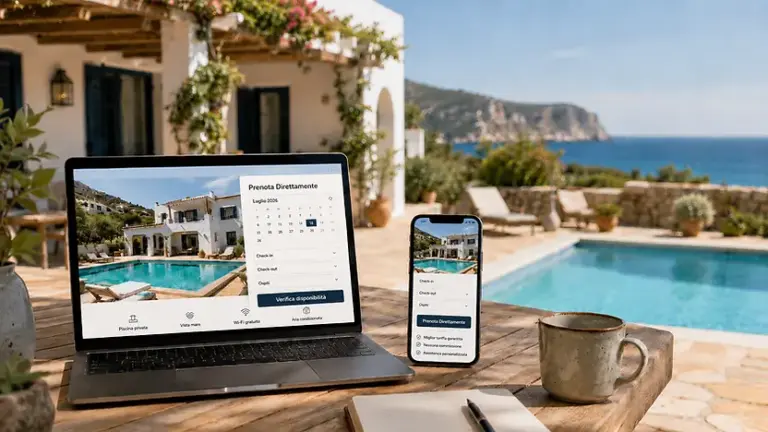
If you have an official website for your holiday home, B&B or tourist apartment, you can also link the availability of Booking.com.
This is especially useful if you want to start receiving Direct bookings from your website.
With an iCal-compatible system, you can import the Booking.com calendar and automatically show as unavailable the dates already booked on the platform.
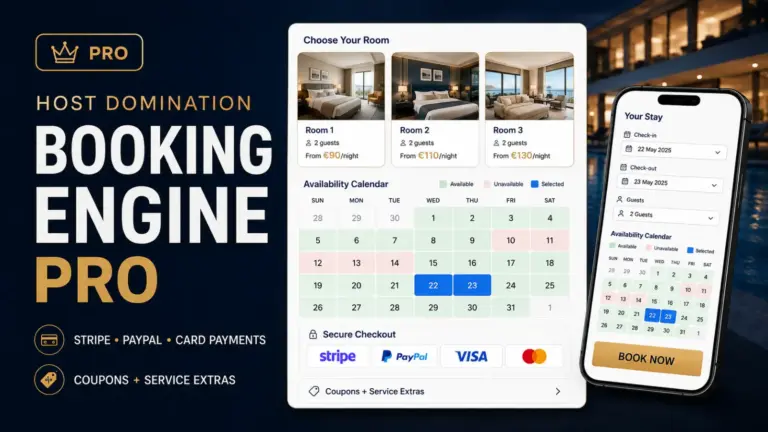
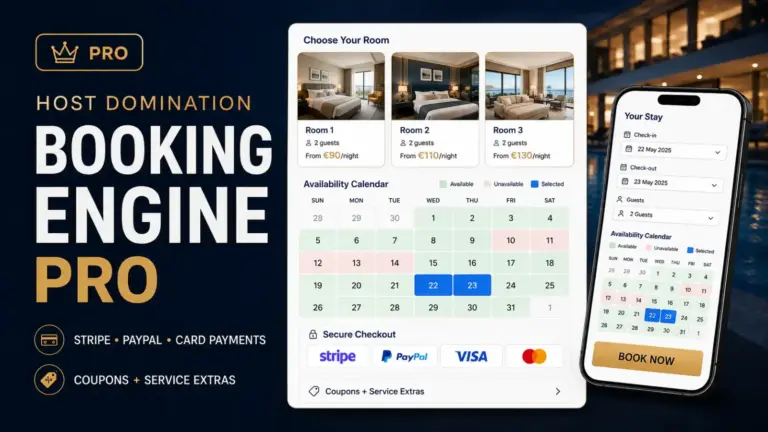
With Host Domination Booking Engine, for example, you can create a booking system directly on your WordPress site and connect external calendars through iCal.
This way you can continue to use Booking.com as a sales channel and simultaneously collect bookings from your official website.
Booking.com + Airbnb + website: how to organize calendars
A very common configuration for a vacation rental is this:
Booking.com → website
Reservations are Booking.com imported and block their dates on the site.
Airbnb → website
Airbnb reservations also appear as busy dates.
→ Booking.com and Airbnb website
Direct bookings received through the Booking Engine are exported to external portals.
The goal is to keep all availabilities synchronized.
This way you can use multiple channels without having to manually update each calendar after each booking.
What is an overbooking on Booking.com?
Overbooking is when the same property is booked by two different customers for overlapping dates.
Example:
Booking.com: Booking from 15 to 20 July.
Direct Site: Booking from 18 to 22 July.
The nights of 18 and 19 July were therefore sold twice.
This can create several problems.
You may need to:
- cancel a reservation;
- look for alternative accommodation;
- reimburse the customer;
- manage complaints;
- receive negative reviews;
- address any consequences envisaged by the portal.
Good calendar synchronization greatly reduces this risk.
Is Booking.com iCal sync instant?
It is important to clarify one aspect.
iCal sync isn’t necessarily real-time.
When you receive a booking, several steps take place:
- Booking.com register the reservation;
- the exported calendar is updated;
- the other platform controls the iCal feed;
- The new dates are imported.
There may be a time gap between one step and another.
The frequency of synchronization depends on the system used.
For this reason, iCal is very useful for smallholders and vacation rental managers, but properties with many channels and high volumes can evaluate API systems, PMS, or Channel Managers.
How to avoid overbooking on Booking.com
In addition to iCal sync, there are a few best practices you can adopt.
Check your calendars regularly
Periodically check that your feeds are still properly linked.
A removed or misconfigured link could interrupt syncing.
Use two-way sync
Don’t just export Booking.com.
Make sure Booking.com also receives bookings from other channels.
Avoid creating duplicate links
Importing the same calendar multiple times can make the configuration more difficult to control.
Keep it simple and clear.
Manually update during high-demand periods
During holidays, long weekends, or busy periods, it can be helpful to manually check for updates after receiving a reservation.
Use a centralized calendar
As sales channels grow, viewing everything within a single dashboard becomes much more convenient.
With Host Domination Booking Engine PRO, for example, the Planning View allows you to consult reservations within a centralized timeline, easily distinguishing the different origins.
Synchronizing Booking.com for multiple apartments
If you manage multiple facilities, each apartment should have its own calendar.
For example:
Apartment 1
- Booking.com Apartment 1
- Airbnb Apartment 1
- calendar site Apartment 1
Apartment 2
- Booking.com Apartment 2
- Airbnb Apartment 2
- calendar site Apartment 2
You need to be especially careful not to accidentally link the calendar of one property with that of another.
An iCal feed associated with the wrong structure may block dates that are actually still available.
With more apartments, it therefore becomes increasingly useful to use a centralized system for managing reservations.
Can I still receive direct bookings while still using Booking.com?
Yes.
Using Booking.com does not mean that you are obliged to receive bookings only from the platform.
You can continue to use Booking.com to benefit from its visibility and at the same time develop your property’s official website as a direct channel.
On the site you can enter:
- availability calendar;
- booking request;
- direct booking;
- prices;
- number of guests;
- additional services;
- online payments;
- WhatsApp;
- email;
- Booking conditions.
With Host Domination Booking Engine you can transform a WordPress site into a booking system for vacation rentals and accommodation facilities, keeping availability synchronized with external portals.
This allows OTAs to be combined with a proprietary booking channel.
Booking.com, Booking Engine, PMS and Channel Manager: what are the differences?
These tools are often confused, but they perform different functions.
Booking.com
It is an OTA, i.e. an external platform through which users can find and book accommodation facilities.
Booking Engine
It is the system that allows you to receive bookings directly from your website.
With a Booking Engine the customer does not necessarily have to go through an OTA.
PMS
A Property Management System helps manage the operational activities of the property.
It may include:
- reservations;
- guests;
- prices;
- payments;
- check-in;
- statistics;
- automations.
Channel Manager
The Channel Manager synchronizes availability and often rates between numerous portals.
For those who manage many apartments or have a high amount of bookings, it can be a more advanced solution.
For a vacation rental or a small B&B, on the other hand, syncing via iCal can already be a good starting point.
How to increase direct bookings from Booking.com
Many facilities use Booking.com as their primary source of visibility.
At the same time, however, it is possible to work on your official website to progressively increase direct bookings.
An effective site should allow the user to:
- check availability immediately;
- know the price;
- see photos and services;
- select dates;
- send a request;
- complete the reservation;
- Pay online when applicable.
Calendar synchronization is essential because it allows the site to show availability compatible with those of external portals.
With Host Domination Booking Engine you can integrate the booking system directly into WordPress, synchronizing Booking.com and other external calendars.
In this way, the site becomes a real sales channel and not just an information page.
Frequently asked questions about syncing Booking.com
Can I sync Booking.com with Airbnb?
Yes. When both platforms support iCal import and export for your setup, you can link the two calendars.
Booking.com can be synced with a WordPress site?
Yes. You must use a WordPress Booking Engine or plugin that supports iCal calendars.
Can I sync Booking.com, Airbnb, and my website at the same time?
Yes. It’s one of the most common setups for those who want to use both OTAs and direct bookings.
Is Booking.com synchronization automatic?
Once the connection has been configured, the import can take place automatically according to the frequency provided by the platform or software used.
Does iCal completely eliminate the risk of overbooking?
It greatly reduces risk, but it doesn’t necessarily equate to a real-time API sync.
Do I need to pay a Channel Manager to sync Booking.com and Airbnb?
Not necessarily. For facilities with simple needs, iCal synchronization may be sufficient.
Conclusion
Know How to sync your calendar Booking.com it is essential when the same structure is offered on multiple platforms.
Through iCal, you can connect Booking.com to Airbnb, your website, and other compatible systems, keeping your availability up-to-date and reducing the risk of overbooking.
For those who also want to increase direct bookings, connecting Booking.com to a Booking Engine installed on their site is a particularly interesting solution.
Host Domination Booking Engine allows you to create a booking system directly on WordPress and synchronize the calendars of the facilities with the main portals through iCal.
You can continue to leverage the visibility of Booking.com and Airbnb while maintaining a direct booking channel through your official website.