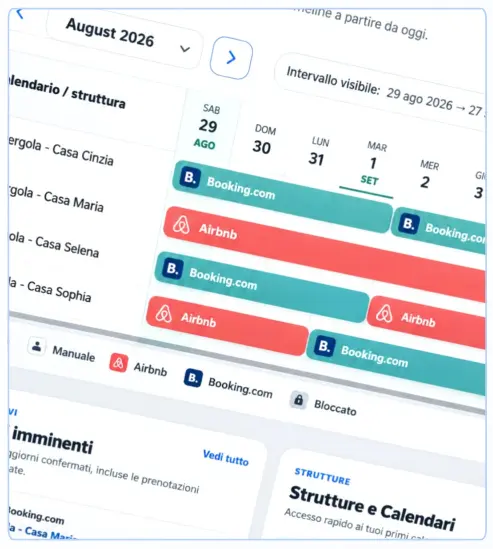

Listing a vacation rental, apartment, or B&B at the same time on Airbnb and Booking.com allows you to significantly increase the visibility of the structure.
But it also brings with it a very concrete problem:
What happens if two guests book the same dates on two different portals?
It is the classic risk of Overbooking.
To avoid this, it is necessary to keep the availability of the different channels used synchronized.
You can do this in two main ways:
- through a Channel Manager;
- through the iCal / ICS calendar synchronization.
In this guide we will see how to synchronize Airbnb and Booking.com, what are the differences between the two systems and how to also connect bookings received directly from your site.
What is a Channel Manager for Airbnb and Booking.com?
A Channel Manager It is a software that allows you to manage the availability of a structure published on multiple booking portals from a single platform.
For example:
Airbnb
Booking.com
Vrbo
Website Direct
When a booking arrives on one of the portals, the system automatically updates the availability on the other connected channels.
Example:
You have a vacation rental available from 10 to 15 August.
A guest books on Airbnb from August 12 to August 14.
A properly configured synchronization system must ensure that those dates are also occupied on the other calendars used.
This way a second guest shouldn’t be able to book the same dates from Booking.com or your site.
Why sync Airbnb and Booking.com?
The main reason is simple:
Avoid double bookings.
When you manually manage multiple portals, you may have to continuously log into the different platforms and manually block the dates that have already been sold.
The more bookings increase, the riskier this method becomes.
A reservation received while you are not in front of the computer can in fact temporarily leave the same dates available on the other portals.
Synchronization, on the other hand, allows you to automate a large part of this process.
What is an overbooking?
A Overbooking occurs when the same room, apartment or structure is booked by several guests for overlapping dates.
For example:
Airbnb: Booking 10–15 July
Booking.com: Booking 12–16 July
The nights of 12, 13 and 14 July are therefore sold twice.
For a host, this can mean:
- having to cancel a reservation;
- guest dissatisfaction;
- possible penalties by OTAs;
- economic loss;
- negative reviews;
- need to find alternative accommodation for the customer.
For this reason, synchronizing calendars should be one of the first configurations to make when publishing the same accommodation on multiple platforms.
How to sync Airbnb and Booking.com
Airbnb and Booking.com can be connected through standard-compatible calendars iCal / ICS.
The general operation is this:
Airbnb → export calendar → Booking.com import calendar
and at the same time:
Booking.com → export calendar → Airbnb import calendar
It is important to do both.
If you only configure:
Airbnb → Booking.com
Booking.com will be able to read the busy dates from Airbnb.
But Airbnb won’t necessarily know the bookings received by Booking.com.
For a two-way synchronization of calendars, it is therefore necessary to carry out:
Airbnb → Booking.com
e
Booking.com → Airbnb
Airbnb officially describes this system through the import and export functions of external calendars. When a night is booked on a connected calendar, it can also be blocked on the other synchronized calendars, depending on how the service is updated.
How to export Airbnb calendar
Sign in to your Airbnb account and open the calendar for the listing you want to sync.
Generally the path is:
Calendar → select announcement → Free/busy → Link calendars
From this section, you can connect Airbnb with another site.
To export the calendar, you need to copy the link provided by Airbnb.
This is an iCal address that you can enter into your external calendar.
Airbnb also specifies that in order to import an external calendar, the link must generally end with:
.ics
How to import Airbnb to Booking.com
After copying your Airbnb calendar, log in to the Extranet Booking.com.
Open the calendar for the facility or unit you want to sync.
Then look for a function similar to:
Sync calendars
or:
Import calendar
At this point, enter the iCal link that you previously copied from Airbnb.
You can give your calendar a recognizable name, such as:
Airbnb
This way Booking.com can use the external calendar to find out the busy dates coming from Airbnb.
How to export Booking.com to Airbnb
The configuration is not yet complete.
Now you have to do the reverse.
In the calendar sync section of Booking.com search:
Export calendar
Booking.com will generate a link to the property’s calendar.
Copy the link.
Then return to Airbnb and open:
Calendar → Availability → Link calendars
Select the option to import an external calendar.
Paste the link from Booking.com and give it a name, such as:
Booking.com
At this point you will have created the two links:
Airbnb → Booking.com
Booking.com → Airbnb
Is Airbnb and Booking.com sync instant?
This is one of the most important aspects to know.
iCal sync should not be considered a real-time sync.
The different portals periodically update the imported calendars.
There can therefore be a time interval between:
- receiving a reservation;
- the update of the iCal calendar;
- the reading of the new calendar by the other platform.
This means that iCal greatly reduces the risk of overbooking, but it doesn’t necessarily offer the same speed as an API connection used by some professional channel managers.
Is iCal and Channel Manager the same?
No.
This distinction is fundamental.
iCal Sync
Synchronization iCal / ICS Work mainly on busy calendar dates.
It’s easy to set up and is supported by many platforms.
It is particularly useful for:
- small hosts;
- holiday homes;
- B&B;
- few apartments;
- Properties that want to synchronize mainly availability and reservations.
Channel Manager
A real Channel Manager it normally uses deeper integrations with OTAs.
Depending on the provider, it can also sync:
- availability;
- prices;
- restrictions;
- minimum stay;
- pricing plans;
- reservations;
- modifications;
- cancellations;
- inventory.
The Channel Manager is therefore generally more comprehensive than the simple iCal connection.
Do you really need a Channel Manager for a vacation rental?
Not necessarily.
It depends on the number of facilities and the complexity of management.
If you manage:
1 apartment on Airbnb + Booking.com
Proper iCal synchronization may be sufficient.
If, on the other hand, you manage:
- many rooms;
- numerous apartments;
- different portals;
- different rates for each OTA;
- many daily bookings;
- complex availability;
a Channel Manager can become much more useful.
For small hosts, however, an iCal system may be a simpler solution.
The problem of direct bookings from your website
However, there is another situation to consider.
Let’s imagine that you have synchronized perfectly:
Airbnb ↔ Booking.com
but also receives bookings directly from your site.
What happens?
If the site’s calendar isn’t connected to your other channels, a direct booking may not be immediately visible on Airbnb or Booking.com.
For this reason, it is useful to have a Central calendar that also takes into account bookings from the website.
Sync Airbnb, Booking.com, and WordPress site
If you use WordPress, you can create a system in which your site’s calendar imports availabilities from OTAs.
For example:
Airbnb → calendar site
Booking.com → calendar site
Direct bookings → the website calendar
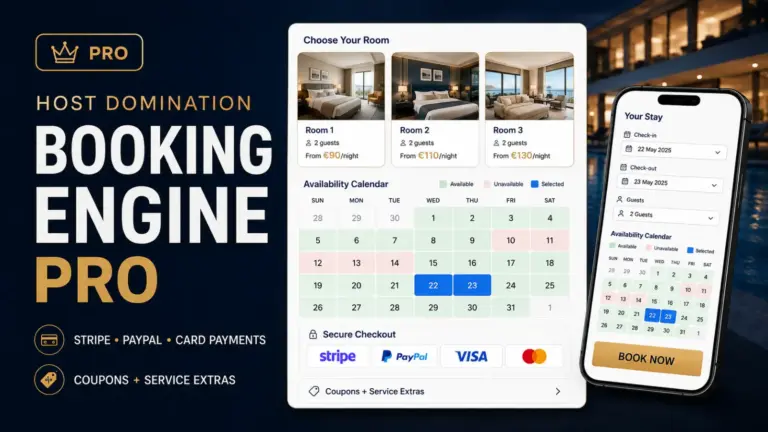
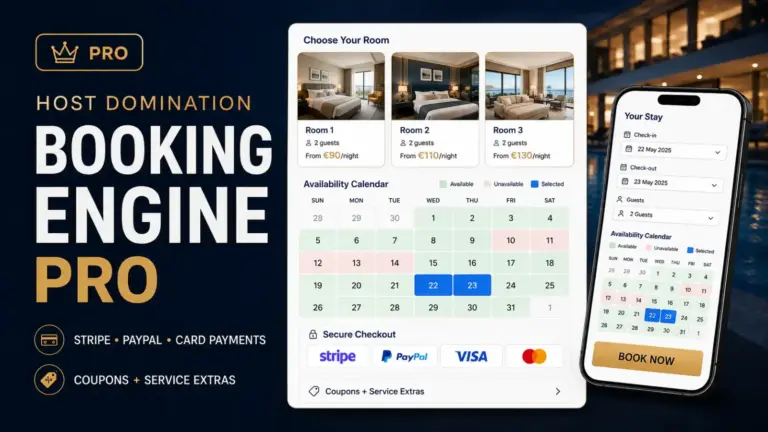
Host Domination Booking Engine allows you to create a booking calendar directly within WordPress and synchronize external calendars compatible with iCal / ICS, including Airbnb and Booking.com.
This way you can show available dates on your website while also taking into account bookings from OTAs.
You can try it for free:
HostDomination.com/booking-engine/
How Host Domination Booking Engine works
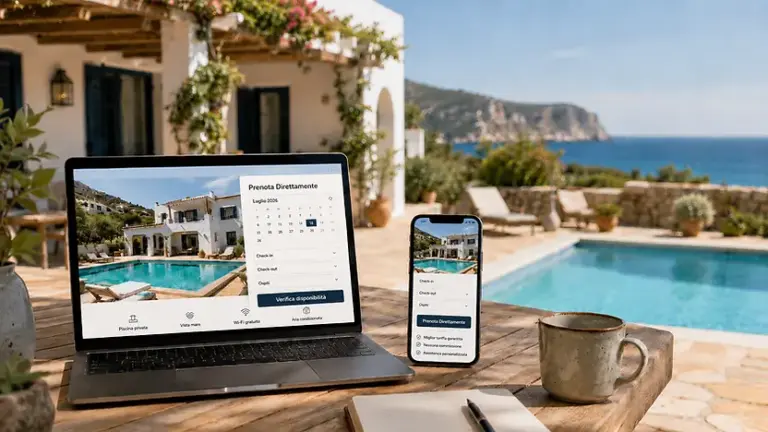
Host Domination Booking Engine is a WordPress plugin designed to allow accommodation facilities to receive booking requests directly from their website.
The system allows you to have:
- availability calendar;
- iCal/ICS synchronization;
- connection with Airbnb and Booking.com calendars;
- price per night;
- minimum stay;
- number of guests;
- direct booking requests;
- booking dashboard;
- Smartphone-optimized interface.
The PRO version adds more tools for those who need more advanced management, such as multiple calendars, online payments, advanced pricing, and more iCal connections.
A practical example
Suppose you manage:
Rome Vacation Rentals
Published on:
- Airbnb;
- Booking.com;
- personal site.
The calendar could be organized like this:
Airbnb → Host Domination Booking Engine
Booking.com → Host Domination Booking Engine
The Booking Engine then imports the busy dates from the portals.
On the site, the visitor will only see the available dates.
When a direct booking arrives, it is recorded in the Booking Engine’s calendar.
By using an exportable calendar feed, you can integrate your site’s calendar into your synchronization system.
The result is a much more centralized management of availability.
Unified calendar for multiple portals
When the channels used increase, it becomes inconvenient to control separately:
Airbnb
Booking.com
Vrbo
Direct bookings
A unified calendar, on the other hand, allows you to have an overview of bookings from different sources.
This is also especially useful when you manage multiple apartments.
For example:
| Structure | Airbnb | Booking | Direct |
|---|---|---|---|
| Rome Apartment | ✓ | ✓ | ✓ |
| Casa Mare | ✓ | ✓ | ✓ |
| Villa Tuscany | ✓ | ✓ | ✓ |
A central dashboard makes it much easier to immediately identify which facilities are occupied.
How to really avoid overbookings
Synchronization is key, but there are also some best practices to follow.
1. Always sync in both directions
Don’t just import Airbnb to Booking.com.
Also set up Booking.com on Airbnb.
2. Check your calendars periodically
Check that the iCal links are still active and correctly associated with the structure.
3. Don’t use the same link for different structures
Each apartment or room must use its own calendar.
4. Connect direct bookings too
If you receive bookings from the site, consider those in the overall availability as well.
5. Avoid out-of-sync manual locks
If you manually block a date on one platform, check that the information is correctly transferred to the other calendars.
6. Check recent bookings
Since iCal isn’t necessarily instantaneous, pay special attention to newly received bookings.
What is the difference between Booking Engine and Channel Manager?
They are two different tools, even if they can work together.
Booking Engine
It is mainly used to allow guests to book directly from the property’s website.
It can handle:
- availability;
- calendar;
- prices;
- guests;
- requests;
- payments;
- Direct bookings.
Channel Manager
It is mainly used to distribute availability and rates across different OTAs.
Its goal is to coordinate channels such as:
- Booking.com;
- Airbnb;
- Expedia;
- Vrbo;
- other portals.
An iCal sync Booking Engine can cover some of the needs of a small host, but should not automatically be considered a complete Channel Manager.
Free Channel Manager: Does It Exist?
There are free solutions or systems based on iCal that allow you to obtain some of the functions normally sought by those looking for a Channel Manager.
The question to ask is:
What functions do I really need?
If you mainly want to:
- synchronize busy dates;
- avoid overlapping;
- show availability on the site;
- receive direct bookings;
You may not need a complex platform immediately.
On the other hand, if you need to synchronize prices, rates, and availability in real-time across numerous portals, it is more appropriate to evaluate a true Channel Manager with API integrations.
Can Airbnb and Booking.com be synced without Channel Manager?
Yes.
Synchronizing calendars using iCal / ICS allows you to connect calendars even without necessarily using an external Channel Manager.
It is a particularly interesting solution for those who manage a few properties and want to avoid costs or overly complex systems.
Airbnb officially supports importing and exporting calendars to other compatible sites.
Can I add Vrbo as well?
Yes, if you use platforms that provide compatible iCal calendars.
The principle remains the same:
Vrbo → calendar export
Airbnb → calendar export
Booking.com → calendar export
The various feeds can then be imported into a compatible central system.
Host Domination Booking Engine supports external iCal/ICS calendars from platforms such as Airbnb, Booking.com and Vrbo.
Manage multiple apartments
If you manage multiple facilities, it’s a good idea to have a separate calendar for each unit.
For example:
Apartment Rome Center
Rome Trastevere Apartment
Holiday House Fiumicino
Villa Ostia
Each property should have its own Airbnb and Booking.com connections.
This avoids synchronization errors and gives you a much clearer view of your bookings.
With systems equipped with a Planning View or a multi-calendar dashboard, you can also view bookings from different properties within a single timeline.
Is it better to channel manager or iCal synchronization?
It depends on the needs.
Choose iCal if:
- you manage few facilities;
- you mainly use Airbnb and Booking.com;
- you want to synchronize busy dates;
- you want to reduce costs;
- you want a simple setup.
Evaluate a Channel Manager if:
- you manage many facilities;
- work with numerous OTAs;
- you have many reservations;
- you also need to sync prices and restrictions;
- you need more advanced updates;
- you use complex rates.
Conclusion
Sync Airbnb and Booking.com It is crucial when the same structure is sold simultaneously on multiple portals.
For easy management you can use calendars iCal / ICS and perform a two-way synchronization:
Airbnb → Booking.com
Booking.com → Airbnb
If you also receive bookings from your site, it’s a good idea to integrate these availabilities into the same ecosystem.
If you use WordPress you can start for free with Host Domination Booking Engine, which allows you to synchronize external Airbnb calendars, Booking.com and other services compatible with iCal and at the same time receive booking requests directly from your website.
HostDomination.com/booking-engine/
This way you can reduce your reliance on OTAs, keep your availabilities tidier, and start building a true direct booking channel.
Frequently Asked Questions
How to sync Airbnb and Booking.com?
You can use iCal/ICS calendars. You need to export the Airbnb calendar and import it to Booking.com, then export the Booking.com calendar and import it to Airbnb.
Does synchronization avoid overbookings?
It significantly reduces the risk because busy dates are shared between linked calendars. However, iCal synchronization should not necessarily be considered instantaneous.
Do I need a Channel Manager?
No. For a few properties, using iCal synchronization may be sufficient. A Channel Manager becomes more useful when you need to manage many channels, facilities, prices, and restrictions.
Do Airbnb and Booking.com sync automatically?
Once the imported and exported calendars are successfully configured, portals periodically update the information of the linked calendars.
Can I sync my site as well?
Yes. You can use a Booking Engine that is compatible with iCal calendars. Host Domination Booking Engine allows you to import external calendars and receive direct booking requests from your WordPress site at the same time.
What is the difference between iCal and Channel Manager?
iCal primarily syncs information related to busy dates and availability. A professional Channel Manager can also sync prices, restrictions, inventory, and other data through more advanced integrations.
SEO Title: Airbnb and Booking Channel Manager: avoid Overbookings
Meta Description: Learn how to sync Airbnb and Booking.com, avoid overbookings, and manage bookings with iCal, Channel Manager, and Booking Engine.
Recommended slug: channel-manager-airbnb-booking
Main keyword: Channel Manager Airbnb Booking
Secondary keywords: sync Airbnb Booking, sync Airbnb Booking, avoid overbooking Airbnb Booking, connect Airbnb and Booking, calendar Airbnb Booking, iCal Airbnb Booking, channel manager vacation rentals, channel manager Airbnb, channel manager Booking.com