
Managing a vacation rental or B&B isn’t just about getting bookings.
After each booking, a new sequence of communications begins:
booking confirmation -> Information before arrival -> Check-in instructions -> message during your stay -> Check-out reminders -> Request Review
If these emails are sent manually, it is enough to slightly increase the number of bookings for the management to become repetitive and increase the risk of forgetting an important message.
The solution is to create Automated guest emails, scheduled according to the dates and events of the reservation.
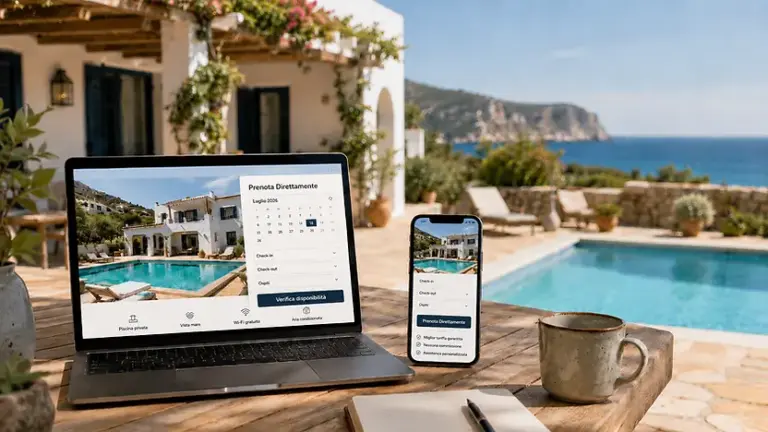
In this guide we see how to organize a true automatic sequence of communications and how to do it directly from WordPress using Host Domination Booking Engine PRO + Guest Email Automation.
What are automated guest emails?
These are messages that are prepared in advance and sent automatically when a certain condition occurs.
For example:
Confirmed booking
→ send the confirmation email immediately.
Or:
2 days to check-in
→ automatically sends arrival instructions.
Or again:
It’s been 1 day since check-out
→ submit a review request.
The host does not have to remember to open the email box and manually write to the customer every time.
The automation uses the information in the booking to establish:
Who to send the message to
When to send it
which message to send
which booking details to enter
Why automate guest emails?
The most obvious benefit is the time savings.
But he is not the only one.
Automated communication also makes it possible to make the guest experience more uniform.
Let’s imagine two customers.
Customer A
Receives:
- immediate confirmation;
- indications two days before;
- check-in instructions on the morning of arrival;
- check-out reminder;
- Thank you message.
Customer B
You only receive a confirmation and then you have to contact the host personally to find out how to enter the apartment.
The perceived quality of the experience is inevitably different.
Automation allows you to define a procedure and apply it with every booking.
What emails should a vacation rental automatically send?
There is no universal sequence, but for a regular vacation rental or B&B I would at least use these communications:
- booking confirmation;
- information before arrival;
- check-in instructions;
- welcome message;
- check-out reminder;
- thanks and request review.
Other automations can be added to these depending on the structure.
Let’s look at them individually.
1. Automated booking confirmation email
It’s probably the most important communication.
It must be sent immediately after the booking is confirmed.
The guest should immediately understand that:
The booking has been received and confirmed correctly.
The email can contain:
- name of the guest;
- name of the facility;
- reservation number;
- check-in date;
- check-out date;
- number of guests;
- total of the reservation;
- any down payment;
- address of the facility;
- Host contact details.
For example:
Hi Marco, your reservation at Casa Vacanze Roma is confirmed from 10 to 14 August.
The important part is that data such as name and dates are not written manually.
They must be automatically retrieved from the booking.
Request confirmation and booking confirmation are not always the same thing
This distinction is important.
A Booking Engine can operate in mode:
Booking request
or:
Booking confirmed/paid
In the first case, you must not send the guest:
“Your booking is confirmed”
if the host has yet to approve it.
It is more correct to send:
“We have received your booking request.”
Host Domination Booking Engine already has an optional confirmation for manual requests, which can let the guest know that the request has been received and is still awaiting confirmation.
However, when you want to create a True automatic sequence throughout your stay, Guest Email Automation comes into play.
2. Automated email before check-in
One of the most useful automations is the message Pre Check-in.
You can schedule it, for example:
3 days before check-in
or:
24 hours before arrival
The message can contain all the information that the guest will need.
For example:
- full address;
- directions;
- parking;
- check-in time;
- methods of handing over the keys;
- self check-in;
- necessary documents;
- contact number;
- any rules of the structure.
The goal is to anticipate the most frequently asked questions.
Instead of constantly receiving messages like:
“What time can we arrive?”
“Where do we park?”
“How do we get the keys?”
The guest automatically receives all the information before arrival.
When to send the pre-check-in email?
A good configuration could be:
3 days before
General information on arrival.
1 day before
Detailed check-in instructions.
Check-in day
Possible short message with essential information.
You don’t need to send three emails to each facility.
For many hosts, this may be enough:
1 email 48 hours before arrival
containing everything you need.
The important thing is to be able to choose how many hours or how many days before check-in the message must go out.
And it is precisely one of the mechanisms supported by Host Domination Guest Email Automation, which allows you to schedule messages before or after booking events.
3. Email with check-in instructions
If you use the Self Check-in, this automation can become critical.
The message may contain:
Address
↓
How to get to the entrance
↓
Door code
↓
Keybox location
↓
Keybox Code
↓
apartment number
↓
Contact for assistance
This way, the guest has instructions before they even arrive in front of the property.
It is particularly useful for:
- holiday homes;
- tourist apartments;
- facilities without reception;
- evening arrivals;
- Self check-in.
Of course, you have to carefully consider what sensitive information to include and how long before arrival communicate to her.
4. Automatic message after check-in
Automation doesn’t have to stop at arrival.
You can also schedule a message:
a few hours after check-in
or:
The next morning
For example:
We hope everything is okay. If you need any assistance during your stay you can reply directly to this email.
Such a message has two advantages.
First of all, it communicates attention to the guest.
Secondly, it allows you to intercept any problems during your stay, rather than just discovering them in the final review.
Guest Email Automation also allows you to use post-check-in events to schedule communications.
5. Automatic check-out reminder
You can automatically send a reminder the day before departure.
For example:
Check-out by 10:00
Leaving keys in the keybox
Close doors and windows
Turn off the air conditioning and lights
Communicate any issues
This email avoids misunderstandings and reduces the number of manual messages.
One possible configuration is:
18:00 the day before check-out
→ reminder.
Or:
12 hours before check-out
→ automatic reminder.
6. Automated email after checkout
Your stay is over, but communication can continue.
After checking out you can send:
- thanksgiving;
- request for review;
- invitation to book again;
- discount code;
- link to the official website;
- promotion for a future booking.
For example:
1 day after check-out
→ thank-you email.
This phase is particularly interesting because it transforms a simple operational automation into a tool for Guest loyalty.
Automatic review request
Reviews are crucial in the hospitality industry.
But manually asking each guest for a review means you have to remember:
Who left
when he left
if we have already written to him
Automation can make it easy.
For example:
24 hours after check-out
→ review request.
The message should be short.
You don’t need to send a very long email.
The goal can be simply to thank the guest and invite them to share their experience.
Automated email for a cancelled booking
A cancellation should also generate clear communication.
For example:
Cancelled booking
↓
Automatic cancellation confirmation email
The guest will then receive a written confirmation of the operation.
Host Domination Guest Email Automation also includes among the available events the Cancellation of the reservation, as well as a received, confirmed, check-in and check-out reservation.
How to automate everything directly from WordPress
If direct bookings come through your WordPress site, you can manage these communications without necessarily having to use a separate external service.
Host Domination Guest Email Automation is an add-on designed to Host Domination Booking Engine PRO It allows you to create automated emails based on booking events.
The flow becomes:
Customer books from the site
↓
Host Domination Booking Engine register your booking
↓
Guest Email Automation detects the event
↓
Schedule emails
↓
The guest automatically receives the expected messages
This allows you to manage both the booking and a large part of the subsequent communication with the customer from your WordPress.
Host Domination Guest Email Automation: How it works
The add-on allows you to create automations related to the main stages of the booking.
Currently supported events include:
- reservation received;
- confirmed or paid reservation;
- cancelled booking;
- before check-in;
- after check-in;
- before check-out;
- after check-out.
This means you can build a complete sequence.
For example:
Confirmed booking
→ instant email.
48 hours before check-in
→ arrival information.
6 hours before check-in
→ self check-in instructions.
12 hours before check-out
→ reminder to leave.
24 hours after check-out
→ review request.
Once the automations are configured, the system applies them to bookings that meet the conditions you set.
Example of full automation
A sequence for a vacation rental might look like this:
| Moment | |
|---|---|
| Booking received | Request received |
| Confirmed booking | Confirmation + summary |
| 3 days before check-in | Arrival information |
| 1 day before check-in | Check-in instructions |
| After check-in | Welcome message |
| 1 day before check-out | Check-out reminder |
| 1 day after check-out | Thanksgiving + Review |
| A few days later | Invitation to rebook |
At that point, communication no longer depends on the host’s memory.
Become part of the Booking workflow.
Automatically personalized emails
Effective automation shouldn’t feel like a generic message sent to hundreds of people.
It must contain the guest’s specific information.
For this reason, the so-called Dynamic placeholders.
For example:
Guest Name: Mark
Structure: Rome Vacation Rentals
Check-in: 10 August
Check-out: 14 August
Total: 480 €
The email can automatically generate:
Hi Marco, your reservation at Casa Vacanze Roma is confirmed. We are waiting for you on August 10th with check-out scheduled on August 14th.
Guest Email Automation can use dynamic booking data such as guest name and email, property, booking ID, check-in, check-out, number of nights and guests, amounts, extra services, address and other available information.
Different automations for different facilities
This becomes important when you manage multiple apartments.
Email for:
Rome Apartment
It may contain:
Check-in via keybox
while:
Milan Apartment
could include:
handover of the keys in person
It would not make sense to use the same message for both structures.
Guest Email Automation allows you to apply filters also based on the calendar or structure, as well as the booking status and dates.
You can then configure:
Automation A → only Casa Roma
Automation B → only Casa Milano
What happens if the booking date changes?
This is a very important detail for an automation system.
Let’s imagine:
Original check-in: 10 August
You have planned:
email 2 days before → 8th August
Then the guest changes the reservation:
New check-in: 15 August
The reminder should no longer go out on August 8.
It must be recalculated for:
13 August
Guest Email Automation recalculates pending sends when booking dates or automation settings change.
This avoids sending check-in instructions based on a now modified reservation.
What happens if an email is not sent?
An automation is only useful if you can understand what is happening.
For this reason, Guest Email Automation uses a Scheduled queue and maintains a history of your submissions.
The system periodically checks the emails to be sent; if a submission fails, it can automatically make further attempts. The official page of the add-on currently indicates a queue check every five minutes and up to three sending attempts.
From the management you can distinguish emails:
- planned;
- sent;
- ignored;
- failed.
This is much more reliable than a system where you simply “hope” that the message has gone out.
Can I try the email before activating it?
Yes.
And it is a function that I recommend using all the time.
Before making an automation active, it is necessary to check:
- object;
- text;
- placeholder;
- formatting;
- sender;
- any links;
- contact details;
- email configuration.
Guest Email Automation allows you to send an emailTest email using sample booking data before triggering the automation.
This is especially useful when creating a check-in automation – better to find out during a test that a vital piece of information is missing than when the guest is already in front of the apartment.
Do I need to configure SMTP?
WordPress can send emails through its standard system, but for a site that handles reservations, it’s advisable to carefully check the reliability of your outgoing mail.
Guest Email Automation uses the WordPress email system and is compatible with SMTP plugins and sending services configured on the site.
A properly configured SMTP can help improve the reliability of your sending and make it easier to monitor any issues.
Before activating automations, it is therefore advisable to:
- configure the email domain correctly;
- use a sender consistent with the domain;
- configure SMTP when necessary;
- carry out various tests;
- Please also check your spam folder.
Is Guest Email Automation included in the Booking Engine?
Guest Email Automation is a Separate add-on for Host Domination Booking Engine.
Currently requires a license Host Domination Booking Engine PRO active.
The official page of the add-on currently indicates a price of €14.90 per year.
So the structure is:
Host Domination Booking Engine PRO
Guest Email Automation
=
Booking Engine+ email automations for guests
Why use Guest Email Automation instead of manually writing to guests?
Let’s consider 20 bookings per month.
For each one you must send:
Confirmation
Check-in
Check-out
film review
They are:
20 × 4 = 80 emails per month
If each message takes only 2 minutes between opening the reservation, copying the data, changing the dates and sending, you are already:
160 minutes per month
that is, over two and a half hours dedicated simply to repetitive communications.
And we didn’t consider:
- errors;
- forgetfulness;
- changes to reservations;
- more structures;
- high season periods.
Automation eliminates much of this repetitive work.
Automating does not mean making the reception impersonal
It is an understandable objection:
“I don’t want my guests to get cold, automated emails.”
But automation and personalization are not opposites.
The problem isn’t that the email is sent automatically.
The problem is How it is written.
A message like:
Dear customer, this is to inform you…
It may seem impersonal.
But a message:
Hi Marco, there are two days left before your stay at Casa Roma. Here you will find all the information to arrive and check-in without problems.
It can feel much more natural, even if it is automatically generated.
The placeholders allow you to automatically enter the real data of the reservation.
What messages would I NOT fully automate?
Not everything needs to be automated.
I would use automations mostly for predictable information:
Confirmations
Instructions
Hours
Reminders
Acknowledgments
Instead, I would personally handle situations such as:
- problems during the stay;
- complaints;
- special requests;
- refunds;
- exceptions;
- complex changes of the reservation;
- delicate situations.
Automation should eliminate repetitive work, not eliminate the human relationship with the guest.
Automated emails and direct bookings
Automations become even more interesting when they are combined with direct bookings from the website.
With Host Domination Booking Engine, you can manage the process directly in WordPress.
The system allows you to receive direct requests or bookings, manage calendars and synchronize availability via iCal; the PRO version adds, among other functions, online payments, advanced pricing and add-on support.
By adding Guest Email Automation, the path can become:
User visits the site
↓
Check availability
↓
Book
↓
Booking Engine register your booking
↓
Confirmation email
↓
Pre Check-in Email
↓
arrival instructions
↓
reminder check-out
↓
Request Review
All within the booking workflow.
And Airbnb and Booking.com?
Here it is necessary to make a distinction.
Guest Email Automation is designed to work with Bookings managed by Host Domination Booking Engine and related events available in the system.
Airbnb and Booking.com have their own messaging systems and rules.
OTA calendars can be synchronized with Host Domination Booking Engine through compatible iCal/ICS feeds, but Syncing a calendar is not automatically the same as importing all the guest’s personal and contact details needed to send them emails. Host Domination Booking Engine supports external iCal/ICS feeds from platforms such as Airbnb and Booking.com to keep availability up to date.
This distinction is important.
iCal is primarily for availability.
Guest Email Automation works on the data of the reservations managed by the Booking Engine.
A recommended sequence for a vacation rental
If I had to configure the automations of a normal holiday home today, I would start like this.
Confirmed booking
Send: immediate.
Contents:
- thanksgiving;
- summary;
- dates;
- number of guests;
- amount;
- contact details.
Pre check-in
Send: 48 hours before.
Contents:
- address;
- parking;
- timetable;
- documents;
- method of arrival.
Check-in instructions
Send: 6-12 hours before.
Contents:
- access;
- keys;
- codes;
- detailed instructions;
- Contact Support.
Check-out reminder
Send: previous evening.
Contents:
- timetable;
- return of keys;
- any instructions;
- delivery for communications.
Post stay
Send: 24 hours later.
Contents:
- thanksgiving;
- review request;
- I invite you to book again.
These five automations already cover a large part of the repetitive communications of a vacation rental.
Mistakes to avoid in automated guest emails
Sending too many emails
Automating doesn’t mean bombarding the guest.
Five useful messages are better than fifteen irrelevant emails.
Repeat the same information over and over again
Every automation should have a purpose.
Confirm → summary
Pre check-in → preparation
Check-in → access
Check-out → departure
Follow-up → review
Entering outdated information
If you change:
- code;
- parking;
- timetable;
- address;
- telephone number;
Remember to update the templates.
A wrong automated email is automatically sent to all, so an error in the model can multiply rapidly.
Do not test
Before activating a complete sequence, always send test emails.
Guest Email Automation has a dedicated testing function.
Don’t check for sending errors
Automation doesn’t mean “configure and forget forever.”
Periodically check your sending history and any failed messages.
Automated emails or WhatsApp?
It is not necessarily an exclusive choice.
Email is particularly suitable for:
- confirmations;
- summaries;
- detailed instructions;
- documents;
- information that the guest must be able to retrieve later.
WhatsApp is best suited for instant communication and quick conversations.
An effective strategy can therefore use:
Structured and automated emails → information
e:
WhatsApp → support and fast communication
Host Domination Booking Engine also supports an optional WhatsApp channel for manual requests, while email remains the mandatory channel for notification of the request.
Guest Email Automation: Who Is It Useful For?
The add-on is particularly interesting for:
- vacation rental owners;
- B&B;
- guest houses;
- small hotels;
- apartment managers;
- property manager;
- facilities with self check-in;
- hosts who receive direct bookings;
- managers with multiple calendars.
The more direct bookings you receive, the greater the benefit of automation becomes.
How much does Host Domination Guest Email Automation cost?
At the time of publication of this guide, Host Domination Guest Email Automation costs €14.90 per year and requires active PRO Host Domination Booking Engine.
The add-on allows you to create automations tied to the entire booking cycle and includes ready-made presets, dynamic placeholders, filters, test emails, scheduled queue and send history.
For those who manually send dozens of messages a month, the main value is therefore not just “send emails”.
It is to transform a sequence of repetitive operations into an automatic process.
Conclusion
The Automated guest emails They allow you to improve one of the most repetitive aspects in the management of a holiday home or B&B.
The ideal sequence can be:
Booking
↓
Automatic confirmation
↓
Pre-check-in email
↓
Arrival instructions
↓
Welcome message
↓
Check-out reminder
↓
Request a review
The host continues to take action when needed, but they no longer have to remember to submit the same information every time.
If you use WordPress and Host Domination Booking Engine PRO, the add-on Guest Email Automation allows you to create these automations directly within the booking system.
You can choose which event should trigger the email, how long before or after to send it, which property to apply it to, and which booking details to automatically enter.
The result is a simpler flow:
The customer books → the system communicates → you intervene only when it is really necessary.
For a property that wants to increase direct bookings without proportionally increasing manual work, automating guest communication is one of the most logical steps.
FAQs about automated guest emails
How do I automatically send an email after a booking?
You need a Booking Engine or management system that supports automations based on booking events. With Host Domination Booking Engine PRO you can use Guest Email Automation to schedule messages after the booking is received or confirmed.
Can I send an email automatically before check-in?
Yes. Guest Email Automation allows you to schedule messages a certain number of hours or days before check-in.
Can I automatically send self check-in instructions?
Yes. You can create a template with the necessary instructions and schedule it before the guest arrives.
Can I send a reminder before checking out?
Yes. You can use an automation linked to the checkout event and set how long in advance it should be sent.
Can I automatically ask for a review?
Yes. You can schedule an email after checkout with a thank you and review request.
If the customer changes the dates, are the emails updated?
Guest Email Automation recalculates pending sends when booking dates or automation settings are changed.
Can I create different emails for different apartments?
Yes. Automations can also be filtered by calendar or structure.
Can I automatically fill in the guest’s name?
Yes. Dynamic placeholders are available for information such as name, email, property, dates, booking ID, number of guests, total, and other data.
Can I try an email before activating it?
Yes. Guest Email Automation has a test send feature with sample booking data.
What happens if the email doesn’t go out?
The add-on maintains a queue and submission history and can automatically retry the submission in the event of an error. Currently, there are up to three attempts.
Does it work with SMTP?
Yes. The add-on uses the WordPress email system and is compatible with SMTP plugins and external services configured on the site.
Does Guest Email Automation work with Host Domination Booking Engine FREE?
No. Currently requires Host Domination Booking Engine PRO with an active license.
How much does Guest Email Automation cost?
The price currently indicated on the official page is €14.90 per year.
Where can I find Guest Email Automation?
The add-on is available in the add-on section of Host Domination Booking Engine and on its official page Host Domination Guest Email Automation.