
To allow me to manage your advertising campaigns on Facebook and Instagram, follow these simple 4 steps (to be performed on PC):
1. Create and send Business ID Manager
To start working we will need your Facebook account to have a Business Manager:
- If you don’t have a Business Manager, create one from here: https://business.facebook.com/
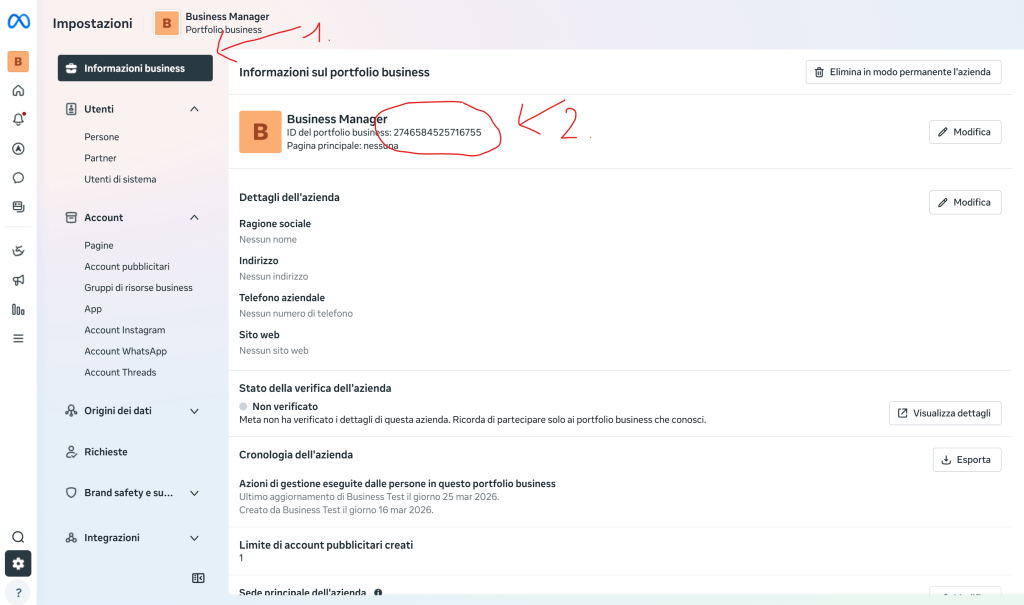
- If you already have it, retrieve your Business Portfolio ID and send it to me. You can find it by clicking on the following link or by clicking on Business Information: https://business.facebook.com/latest/settings/business_info
2. Create Ad Account (if you don’t have one)
If you don’t have it, in the sidebar on → Ad accounts and press the button in the top right → Add.
Video guide:
3. Set up your payment method
If you have never run advertisements, you will need to configure your payment methods (Card, PayPal or bank transfer).
From the sidebar on the left, go to Billing & payments → Payment methods → Add.
Video guide:
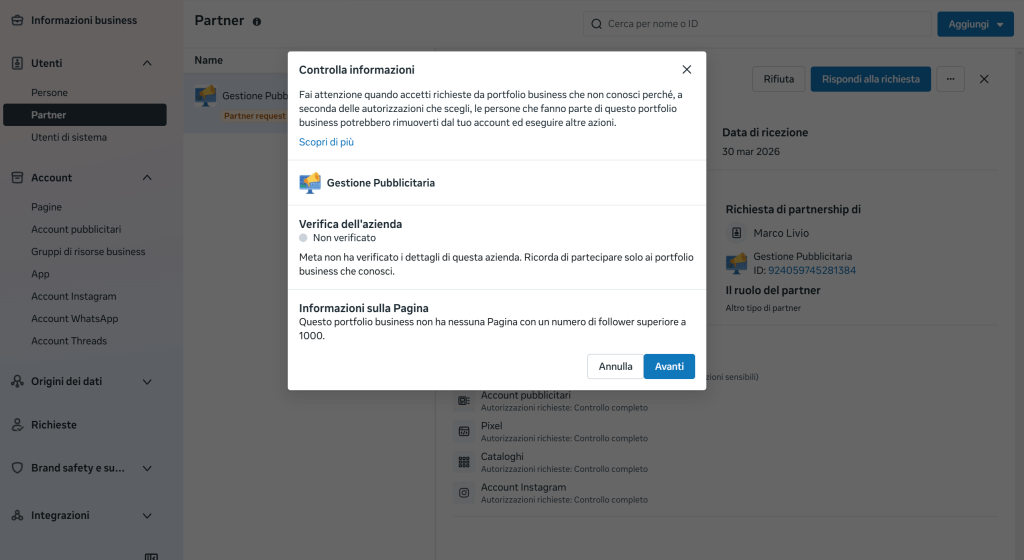
4. Confirm Partner
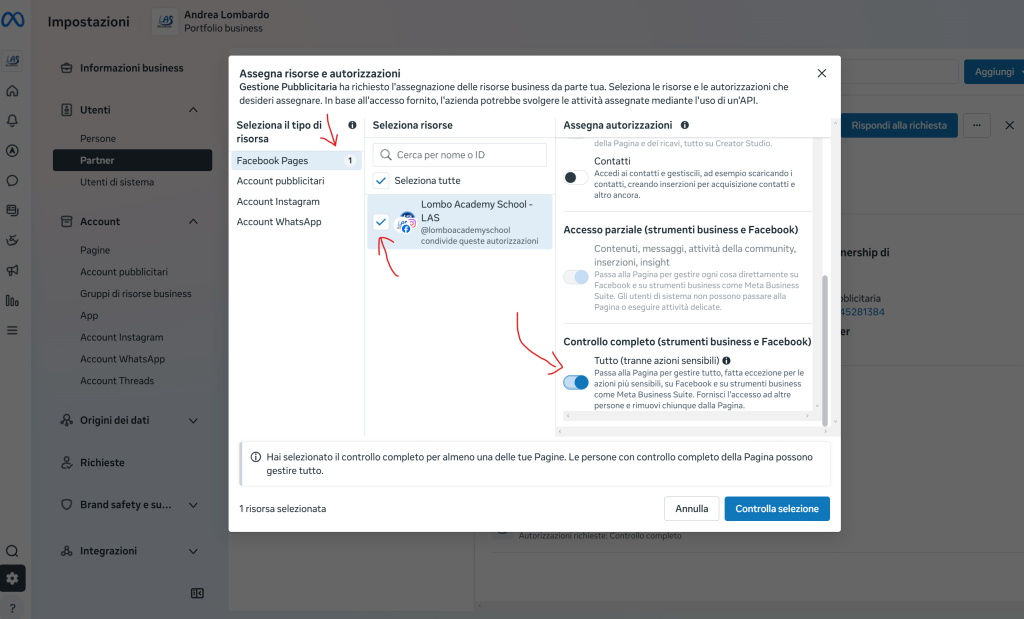
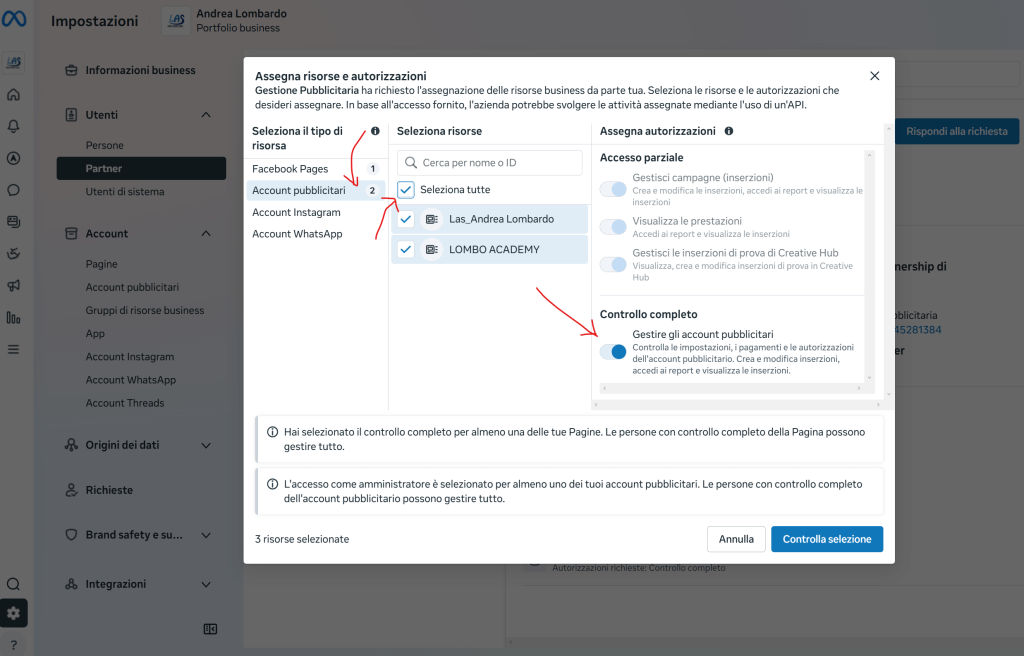
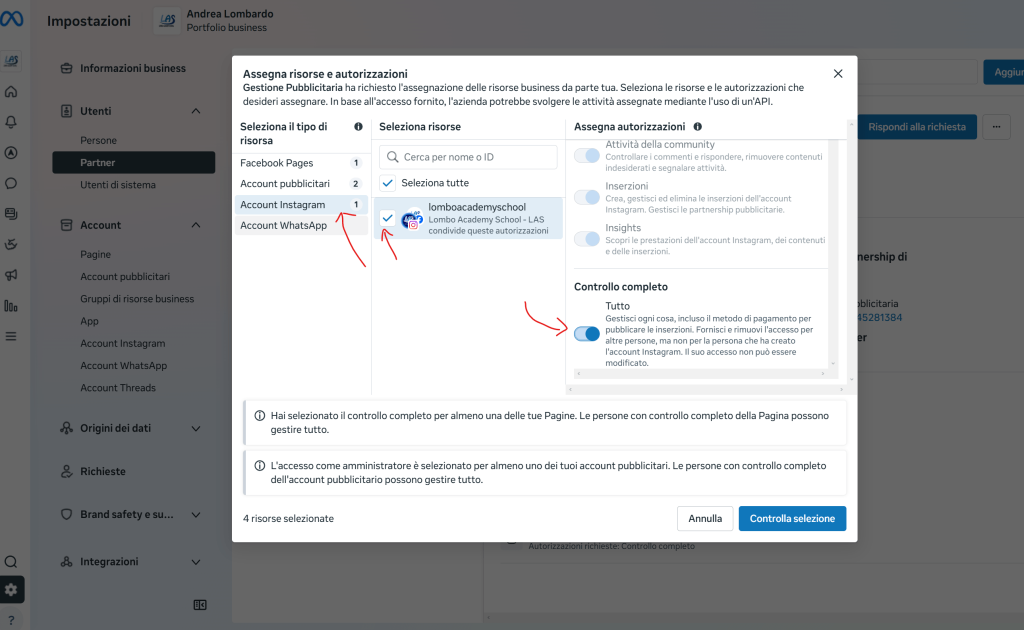
Once this is done, all you have to do is wait to receive my link for Partner access to your Business Manager and click on it select all the items as indicated in the following images.