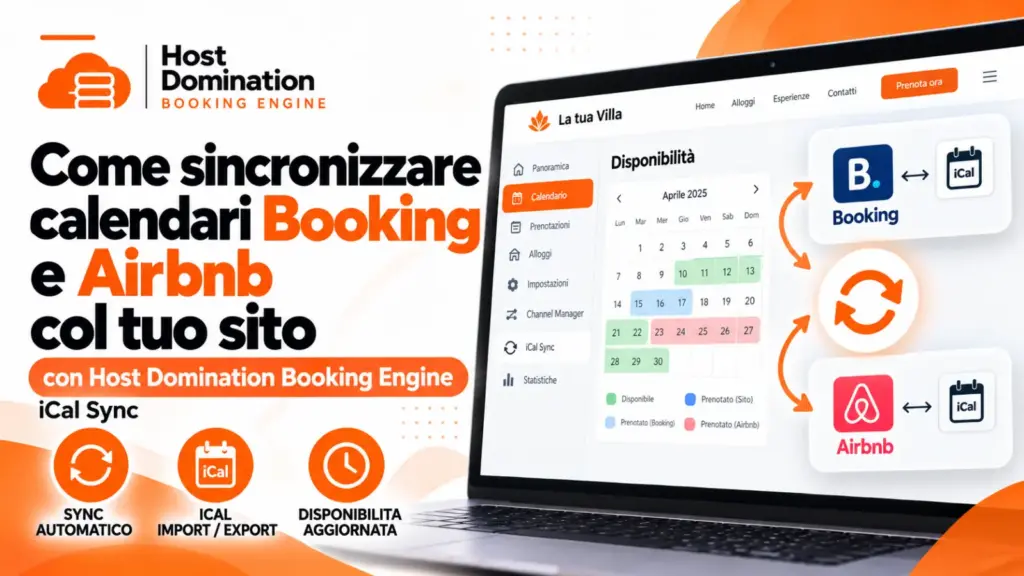

Once you have created your website and configured the booking system Host Domination Booking Engine, you will receive a iCal link, which is required to synchronize your site’s calendar with Booking.com and/or Airbnb.
What do you need to do? Just copy the iCal link we sent you and enter it in the section dedicated to syncing Booking.com or Airbnb calendars.
This way, bookings received directly from your site will be able to automatically block the corresponding dates on the connected platforms, after their update.
Below you will find instructions for both platforms.
1. How to sync your calendar with Booking.com
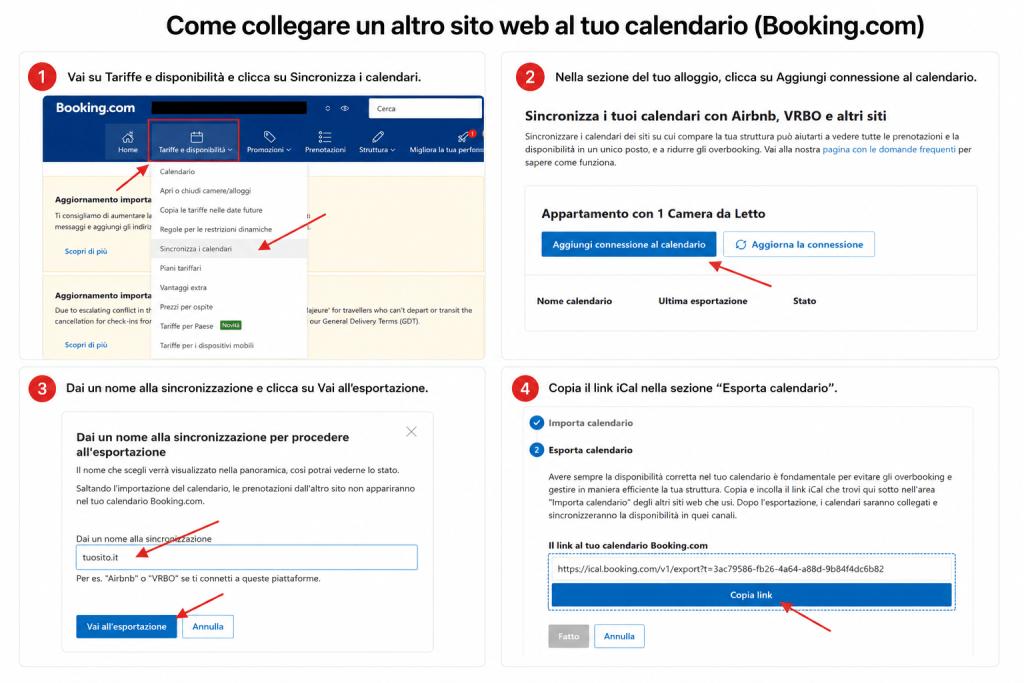
- Access the Extranet di Booking.com.
- From the menu Rates and availability, select Sync calendars.
- Click Add calendar connection.
- In the Import calendar, paste the iCal link we sent you.
- Give your connection a name (for example, “Website”) and complete the process.
You’ve completed the link! Booking.com can now import availability from your site’s calendar.
2. How to sync your calendar with Airbnb
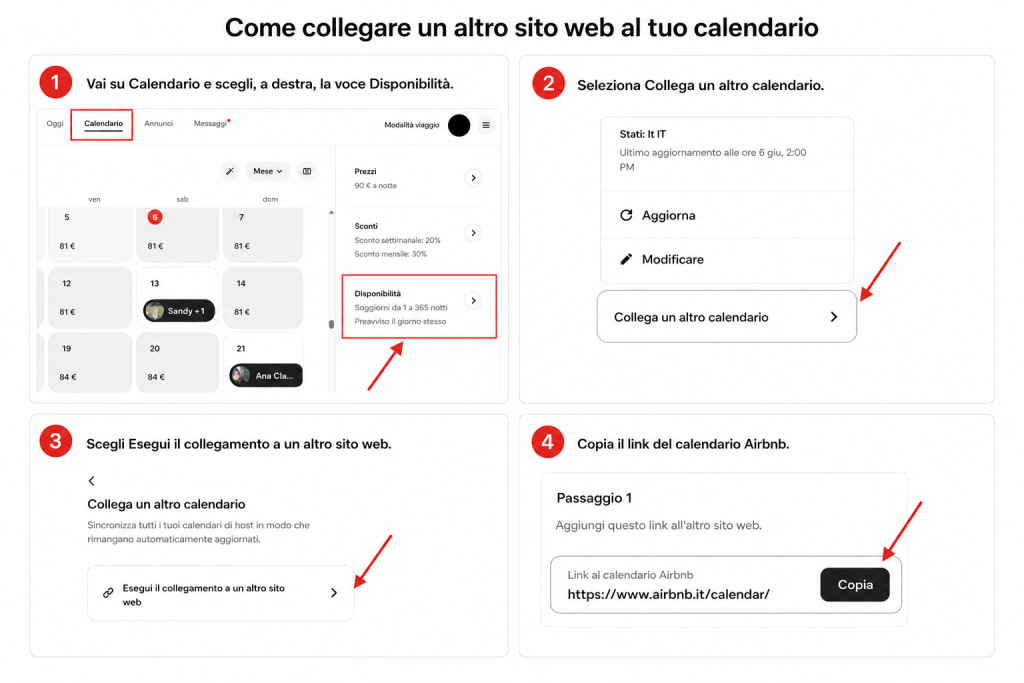
- Log in to your account Airbnb.
- Go to Calendar and select the ad you want to sync.
- Open the section Availability.
- Select Connect another calendar and subsequently Link to another website.
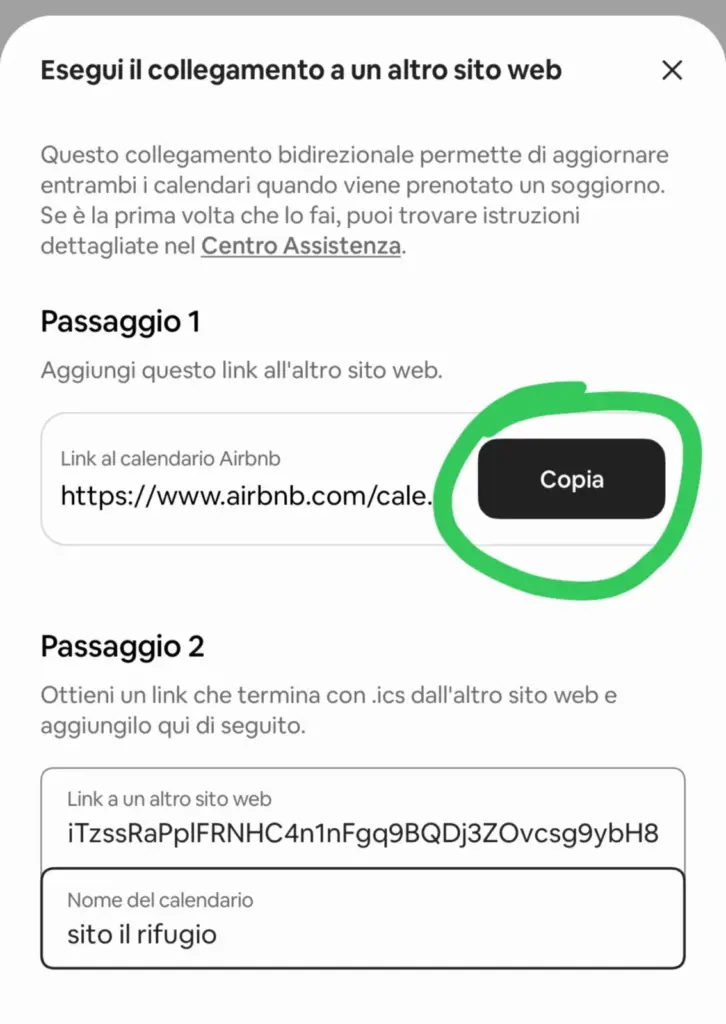
- In the section dedicated to import, in Step 1, copy and send us the generated link (circle in the image above),
- In step 2, paste the iCal link we sent you (example iltuosito.it/hdbe=2323223) and then give it a name of your choice (for example, “My Website”), click Add calendar to confirm.
Perfect! Airbnb will now also be able to read availability from your website.