
Managing an accommodation facility means having continuous control Reservations, arrivals, departures and availability. If you use Booking.com to receive reservations, it can therefore be very convenient sync Booking.com with Google Calendar and view your bookings directly in the calendar you use every day.
The good news is that you don’t have to manually enter every booking.
Booking.com allows you to use a iCal calendar, i.e. a shortcut that can be imported into Google Calendar and numerous other compatible services.
In this guide, we’ll look at:
- how to find the iCal link of Booking.com;
- how to add Booking.com calendar to Google Calendar;
- how synchronization works;
- what are the limits of Google Calendar;
- how to manage Booking.com, Airbnb and bookings on your site through a single system.
Can I sync Booking.com with Google Calendar?
Yes.
Synchronization can be done using the iCal links of the Booking.com calendar.
iCal, also called iCalendar or ICS, is a standard used to share calendar information between different platforms.
In practice:
Booking.com → generates an iCal calendar → Google Calendar reads that calendar → the bookings appear in your Google Calendar.
You don’t have to manually copy every stay you receive from Booking.com.
This system can be particularly useful for:
- holiday homes;
- B&B;
- tourist apartments;
- guest houses;
- guest house;
- villas;
- small hotels;
- hosts who manage multiple listings.
How to find the Booking.com iCal link
The first step is to retrieve the Calendar links Booking.com for the property or place you want to sync.
Log in to the Booking.com Extranet from your browser.
Depending on your account setup and the interface displayed, the path may be slightly different, but generally you will need to enter the section:
Calendar / Rates & Availability → Sync Calendars
or:
Calendar & Pricing → Sync calendars
The sync screen allows you to connect Booking.com with external iCal-compatible calendars.
Then look for the option:
Export calendar
and copy the link provided by Booking.com.
The link will be an iCal URL specific to that facility or unit.
If you manage multiple apartments or rooms, pay special attention: Each calendar must be associated with the correct accommodation. The exact path to the extranet may vary slightly depending on the type of facility and the Booking.com interface used.
How to add Booking.com to Google Calendar
Once you’ve copied the Booking.com’s iCal link, you can add it to Google Calendar.
We recommend that you do this configuration from a computer.
1. Open Google Calendar
Sign in to Google Calendar with your Google Account.
2. Search for “Other calendars”
In the left column you will find the entry:
Other calendars
Press the +.
3. Select “From URL”
From the available options, select:
From URL
4. Paste the link Booking.com
In the dedicated field, enter the iCal link previously copied from the Extranet Booking.com.
5. Press “Add Calendar”
Google will start reading the external calendar.
The Booking.com calendar will then appear in the side column of Google Calendar, among other connected calendars.
Google officially confirms that you can add an external calendar through Settings → Add Calendar → From URL.
Will Booking.com bookings appear automatically?
Once connected, Google Calendar will use the iCal URL to retrieve calendar updates.
This means that You don’t have to re-import the file every time a booking comes in.
However, it is important to distinguish two very different operations.
Import a . ICS file
If you download a . ICS file and manually import it into Google Calendar, you’re essentially a static import.
Add your calendar by URL
If you use:
Other calendars → From URL
Google stays connected to the iCal source and can fetch subsequent updates.
For an accommodation facility it is therefore generally preferable to use the calendar URL And don’t just import a one-time file.
Is Booking.com and Google Calendar sync real-time?
No: it is important to know this limit.
Synchronization via iCal should not be considered instant real-time synchronization.
Booking.com publishes calendar information, and Google Calendar periodically updates the external calendar.
There can therefore be a time gap between a change and its display on Google Calendar.
This is why Google Calendar is very useful as a Personal Consultation Tool, but it should not be used as the only system to avoid overbooking when the same property is sold simultaneously on multiple channels.
Does Google Calendar also sync changes to Booking.com?
No.
This is one of the most important aspects to understand.
When you add the Booking.com calendar to Google Calendar via URL, Google Calendar is basically by reading the Booking.com feed.
The direction is therefore:
Booking.com → Google Calendar
It does not mean:
Booking.com ↔ Google Calendar
If you manually edit an event in your personal calendar, that change shouldn’t be considered automatically transmitted to Booking.com.
In fact, Google distinguishes the visualization via iCal connection from full synchronization through an account or an integration that also allows the modification of events.
Can I block a date on Google Calendar and make it unavailable on Booking.com?
Not through the simple link described in this guide.
Adding Booking.com calendar to Google Calendar is mainly for View bookings and to-dos within Google Calendar.
If you want to automatically coordinate availability between different portals, you need to use the iCal import and export between different systems or a Booking Engine or Channel Manager.
And this is where the difference becomes important.
Google Calendar or booking synchronization system?
Google Calendar is extremely convenient for getting a personal overview.
For example, you can see in the same calendar:
- personal appointments;
- check-in;
- check-out;
- reservations;
- work activities;
- other commitments.
But if your goal is Avoid overlapping bookings between Booking.com, Airbnb, and your website, you need a system designed specifically for availability management.
For example, let’s imagine that you publish the same apartment on:
Booking.com + Airbnb + personal website
A booking could come from any of the three channels.
The real goal therefore becomes to ensure that a busy date is also recognized by the other calendars.
Sync Booking.com, Airbnb, and your site
One solution is to use iCal calendars that are linked together.
For example:
Booking.com → central calendar
Airbnb → central calendar
Direct bookings → central calendar
This way you can have a much more complete view of the availability of the accommodation.
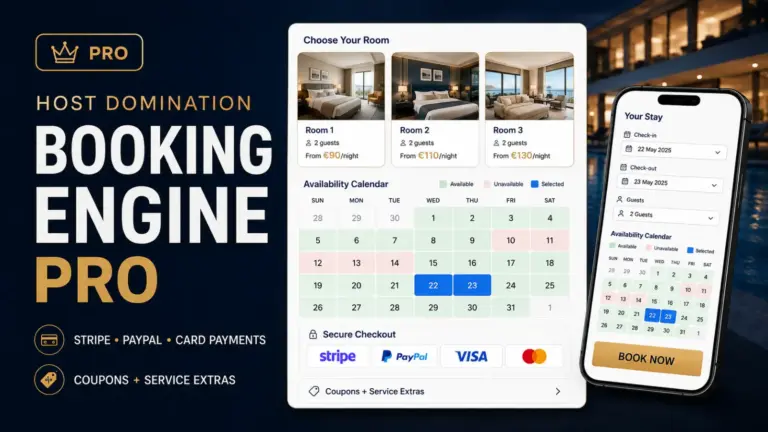
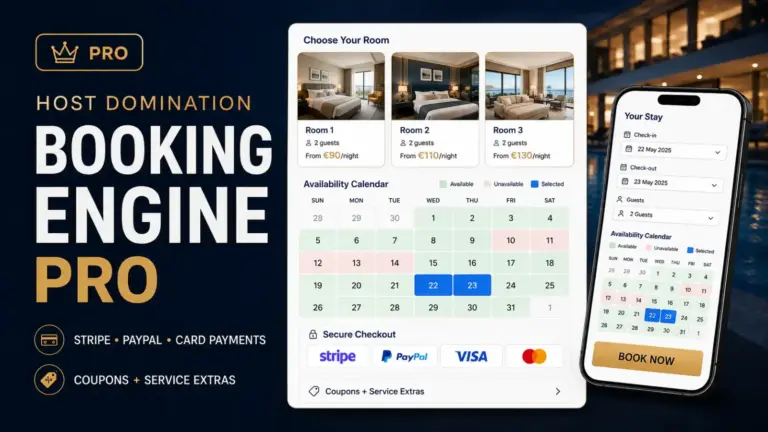
If you use WordPress, for example, you can use Host Domination Booking Engine, which allows you to create an availability calendar directly on your site and import external calendars via iCal / ICS, including Booking.com and Airbnb.
Host Domination Booking Engine is also available in a free version:
HostDomination.com/booking-engine/
The advantage over simple Google Calendar is that the calendar is not only used to see bookings.
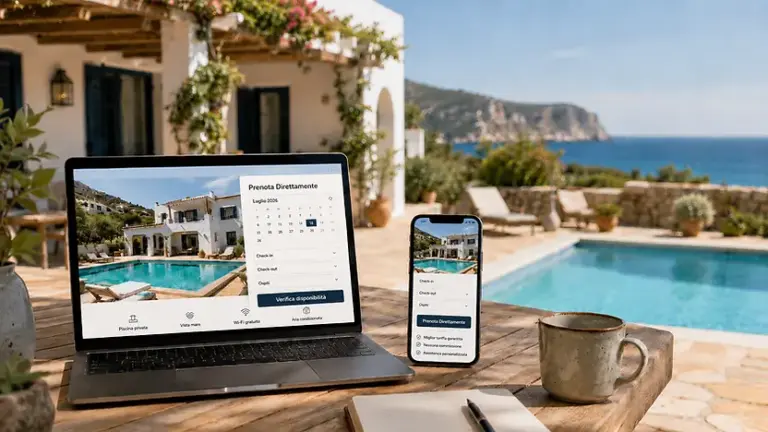
It can become directly part of the site’s booking process.
The customer can therefore:
- enter your site;
- check the available dates;
- choose check-in and check-out;
- indicate the number of guests;
- Send a booking request directly.
Availability can be coordinated with calendars from OTAs at the same time through iCal. Host Domination Booking Engine supports the import and synchronization of external iCal/ICS calendars and direct booking requests from the site.
Can Google Calendar replace a Channel Manager?
Not completely.
It depends mostly on what you need to do.
If you only manage one apartment and just want to See Booking.com bookings in your personal calendar, Google Calendar can be more than enough.
If you need to manage:
- Booking.com;
- Airbnb;
- Vrbo;
- direct bookings;
- multiple apartments;
- payments;
- different prices;
- availability;
- minimum stay;
- extra services;
then Google Calendar becomes just an accessory tool.
In this case, it is more appropriate to use a Booking Engine, PMS or Channel Manager, depending on the complexity of the structure.
Is iCal and Channel Manager the same?
No.
An iCal link is primarily used to share information related to the calendar and busy dates.
A Channel Manager, on the other hand, uses more comprehensive integrations to coordinate different aspects of the structure’s distribution.
This distinction is important because we often tend to refer to any calendar synchronization as a “Channel Manager,” but technically this is not the case.
For a small vacation rental, however, an iCal sync can be a very simple and cost-effective solution when the main goal is coordinate availability and avoid overlapping.
What to do if Booking.com doesn’t show “Sync Calendars”?
Not all accounts Booking.com necessarily show the same entries in the same spot.
First of all, check that you have entered theExtranet Booking.com by browser and that you have selected the correct structure.
Then search the sections:
Calendar
or:
Rates and availability
and checks for:
Sync calendars
If you manage multiple units, also make sure that you have selected the correct accommodation.
The availability of synchronization functions may also depend on the configuration of the structure and the type of connection used.
The Booking.com calendar is not updating on Google Calendar: what to do?
If you’ve completed setup but aren’t seeing events correctly, check these items first.
Check the iCal link
Make sure that you have completely copied the link generated by Booking.com.
Check that you have used “From URL”
Don’t just download the calendar and then import it once.
To maintain the link use:
Google Calendar → Other → Calendars + → From URL
Check that the calendar is visible
In the left column of Google Calendar, make sure that the new calendar is selected.
Wait for the update
iCal sync isn’t necessarily immediate.
Check the accommodation
If you manage multiple rooms or apartments, you may have copied the link to another unit.
How to better organize your bookings on Google Calendar
A small trick can make Google Calendar much more readable.
You can create separate calendars for each property, such as:
Booking – Apartment Rome
Booking – Casa Vacanze Fiumicino
Booking – Villa Mare
This allows you to quickly show or hide individual properties and get a neater overview.
Google Calendar allows you to create multiple separate calendars and manage them from the same account.
Is syncing Booking.com with Google Calendar worthwhile?
Yes, especially if you already use Google Calendar on a daily basis.
The connection allows you to keep track of your bookings without having to constantly log into the Booking.com Extranet.
However, it is essential to understand the function of the tool.
Google Calendar is great for viewing and organizing.
To truly manage availability between Booking.com, Airbnb, and direct bookings, it is preferable to use a structured iCal synchronization, a Booking Engine or, for more complex structures, a Channel Manager.
If you have a WordPress site and want to start receiving direct bookings without depending solely on OTAs, you can use Host Domination Booking Engine for free:
HostDomination.com/booking-engine/
You’ll be able to display availability and pricing on your website, receive direct booking requests, and connect external calendars like Booking.com and Airbnb via iCal.
Frequently Asked Questions
How to connect Booking.com calendar to Google Calendar?
Copy the iCal link from the calendar sync area of the Extranet Booking.com. Next, open Google Calendar on your computer and go to Other calendars → + → From URL, paste the link, and add the calendar.
Does Google Calendar automatically update bookings Booking.com?
If you add your calendar via URL, Google Calendar remains connected to the external feed and can retrieve updates from it. However, syncing isn’t necessarily immediate.
Can I edit Booking.com directly from Google Calendar?
No. The Booking.com calendar added via iCal should be considered primarily a reference calendar. Changes made in your personal Google Calendar are not automatically transferred to Booking.com.
Can I sync Airbnb too?
Yes. Airbnb supports iCal calendars and can be included within a sync strategy along with your site’s Booking.com and calendar.
How do I sync Booking.com, Airbnb, and my site?
You can use a system compatible with iCal/ICS calendars that imports availability from different OTAs. If you use WordPress, Host Domination Booking Engine allows you to connect external calendars and simultaneously receive booking requests directly from the site.
SEO Title: How to sync Booking.com with Google Calendar: Help
Meta Description: Learn how to sync Booking.com with Google Calendar using iCal. Step-by-step guide to view reservations, check-ins, and availability.
Recommended slug: sincronizzare-booking-google-calendar
Main keyword: sync Booking.com with Google Calendar
Secondary keywords: Google Calendar Booking, connect Booking to Google Calendar, iCal Booking.com, Booking calendar sync, export Booking calendar, calendar Booking.com