
If you list the same holiday home, apartment or B&B is on Airbnb that on Booking.com, keeping your calendars up to date is essential.
The risk is simple: a guest books on Airbnb, but the same dates continue to be available on Booking.com. In the meantime, a second booking arrives and you find yourself with a Overbooking.
To reduce this risk you can sync your Airbnb calendars and Booking.com via iCal, a system supported by the main booking platforms.
In this guide, we’ll look at:
- what iCal is and how it works;
- how to export Airbnb calendar;
- how to connect Airbnb to Booking.com;
- how to import Booking.com calendar to Airbnb;
- how to create a two-way synchronization;
- how long it takes for calendars to update;
- what information is synchronized;
- what are the limits of iCal;
- when iCal may be sufficient and when it is better to use a Booking Engine or Channel Manager.
What is iCal?
iCal, also called iCalendar, is a standard used to exchange information between calendars.
In the vacation rental industry, it is mainly used to communicate the Busy or blocked dates between different platforms.
Airbnb, Booking.com and numerous other portals allow you to generate a particular Internet address, normally associated with a calendar in .ics.
You can think of it as a link through which another platform can periodically check which dates are no longer available.
A practical example
Let’s say your apartment is listed at the same time on:
- Airbnb;
- Booking.com;
- your website.
A guest books from September 10 to 15 on Airbnb.
If Booking.com import the Airbnb iCal calendar, the next time you sync, those dates will be detected as busy and can be blocked on Booking.com as well.
The same principle can work in the opposite direction.
And this is precisely the fundamental point:
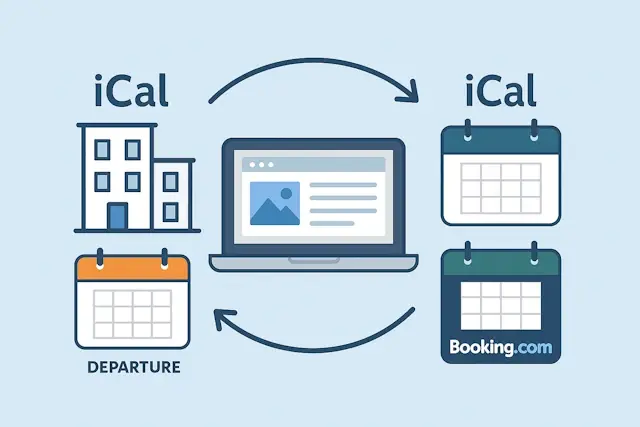
To successfully sync Airbnb and Booking.com, it’s recommended that you connect your calendars in both directions.
How to sync Airbnb and Booking.com
A full synchronization essentially requires four steps:
- export the Airbnb calendar;
- import it into Booking.com;
- export the Booking.com calendar;
- import it into Airbnb.
The result will therefore be:
Airbnb → Booking.com
and at the same time:
Booking.com → Airbnb
Let’s see all the steps.
1. How to export Airbnb calendar
First we need to get the iCal link of the Airbnb listing.
From a computer:
- Log in to your Airbnb account.
- Open Calendar;
- Select the ad you want to sync.
- Open Availability;
- Look for the section dedicated to connecting calendars;
- Select the option to link the calendar to another site.
- copy the Airbnb calendar link.
Airbnb allows you to export your calendar to other services compatible with iCal.
You’ll get a URL for your listing’s calendar.
Caution
The iCal link should be treated as private information.
Anyone with that address can potentially read the free/busy information in the calendar, so avoid posting it on publicly accessible web pages, forums, or documents.
2. How to import Airbnb calendar to Booking.com
Now we need to tell Booking.com:
“Check this calendar as well and consider the dates coming from Airbnb busy.”
Then access the Extranet Booking.com of the structure concerned.
Depending on the type of structure and the version of the interface, the position of the settings may change, but you need to look for the function related to:
Calendar synchronization
or:
Sync calendars
Within the section:
- choose to add/import a calendar;
- paste the iCal link previously copied from Airbnb;
- Give your calendar a recognizable name, such as:
Airbnb
- Save.
Booking.com will now be able to periodically read the calendar from Airbnb.
When a reservation makes certain dates unavailable on Airbnb, Booking.com will then be able to detect the block during one of the next calendar updates.
3. How to export Booking.com calendar
We have configured:
Airbnb → Booking.com
But this is not enough.
If someone books through Booking.com, Airbnb also needs to know that those dates are no longer available.
We must therefore do the opposite.
From the Extranet Booking.com:
- Open the property’s calendar.
- Find the section dedicated to calendar synchronization;
- Choose the option for Export the calendar;
- copy the iCal link generated by Booking.com.
Keep the address because in the next step we will have to enter it on Airbnb.
The exact extranet entries Booking.com may vary depending on the type of property, account configuration, and interface available.
4. How to import Booking.com calendar to Airbnb
Let’s go back to Airbnb now.
Open:
Calendar → Availability → Calendar Link
and choose the option to add/import an external calendar.
Airbnb requires an iCal-compatible address; in the official documentation it also specifies that the imported address must be a valid iCalendar URL, normally ending in .ics.
At this point:
- Paste the calendar link Booking.com;
- Give your calendar a name, such as Booking.com;
- Confirm the import.
You have completed the link.
You will now have:
Airbnb → Booking.com
e
Booking.com → Airbnb
This is a Two-way synchronization via iCal.
Synchronization Scheme
The operation can be summarized as follows:
Airbnb booking
↓
Updated Airbnb calendar
↓
Booking.com reads the Airbnb iCal feed
↓
Dates are blocked on Booking.com
And in the other direction:
Booking Booking.com
↓
Updated Booking.com calendar
↓
Airbnb reads the iCal feed Booking.com
↓
Dates are blocked on Airbnb
Do you need to connect calendars in both directions?
Yes, if you want both platforms to receive each other’s availabilities.
Importing only Airbnb into Booking.com creates a synchronization in the direction:
Airbnb → Booking.com
A new Airbnb booking can then be taken over by Booking.com.
But a reservation received by Booking.com will not necessarily be communicated to Airbnb through that same link.
For this you also need to export Booking.com and import it to Airbnb.
It is one of the most common mistakes in setting up iCal.
How long does it take for Airbnb to sync calendar?
It is important to understand a fundamental limitation:
iCal is not an instant sync.
The platforms periodically check the external calendars.
Airbnb currently states that imported calendars are automatically updated every 3 hours. A manual update function of the imported calendar is also available.
This means that there may be a range between:
The moment a booking arrives
e
the moment another platform detects the new block.
The times of other platforms can be different and can change.
For this reason, you should not consider an iCal synchronization equivalent to a real-time API connection.
How to manually update an imported calendar on Airbnb
If you want to check for any changes immediately without waiting for the next automatic update, Airbnb allows you to request a manual refresh.
From a computer:
- Open Calendar;
- select the ad;
- Open Availability;
- reach the connected calendars section;
- select the imported calendar;
- Uses Aggiorna calendario / Refresh Calendar.
Airbnb also indicates the date and time of the last update of the linked calendar.
How to check if sync is working
Once the setup is complete, it is advisable to do a test.
You can, for example:
- temporarily block certain dates on a platform;
- wait for synchronization or request a manual update, when available;
- Check if the same dates are blocked on the other platform.
Test in both directions.
Then verify:
Airbnb → Booking.com
and subsequently:
Booking.com → Airbnb
Don’t assume that the link is correct simply because the link has been accepted.
What is synced through iCal?
This is another point that often generates confusion.
iCal is primarily a tool for sharing Events and calendar unavailability.
It can therefore be very useful to know that certain nights should no longer be sold.
However, it should not be confused with a complete Channel Manager.
An iCal sync normally does not transfer automatically Items such as:
- prices;
- seasonal rates;
- discounts;
- restrictions;
- minimum number of nights;
- guest messages;
- payments;
- ad descriptions;
- photographs;
- cancellation policies;
- Contents of the structure.
Its main task is to keep the calendar availability.
Booked dates and blocked dates: attention
Not all platforms handle every type of block in the same way.
Airbnb specifies, for example, that booked or blocked nights can be shared with external calendars, while some blocks from other platforms may depend on how the external calendar exports them.
Settings such as:
- preparation time;
- minimum notice;
- check-in restrictions;
- minimum stay;
therefore, they should not be considered automatically synchronized between all platforms.
Always check the rules directly on each portal.
Can I sync more than two calendars?
Yes.
And it’s one of the most interesting uses of iCal.
You might, for example, have the same structure published on:
- Airbnb;
- Booking.com;
- another portal;
- your official website.
In this case, each system must be able to know the reservations coming from other sources.
The more channels you add, though, the more complex the setup becomes.
With two calendars, the connection is very simple:
Airbnb ↔ Booking.com
With three or four sources, however, more attention must be paid to the necessary imports and exports.
It is precisely in these cases that it can become useful to use a Booking Engine or a central calendar management system.
Sync Airbnb and Booking.com with your site’s calendar
Airbnb and Booking.com don’t have to be synced with each other alone.
If you receive Direct bookings from your website, the site’s calendar should also participate in syncing.
Let’s imagine a structure available through:
- Airbnb;
- Booking.com;
- official website.
If you receive a direct booking from the site but it isn’t communicated to other sites, Airbnb and Booking.com may continue to show those dates as available.
An iCal-enabled Booking Engine can use external calendars to centralize availability and help keep bookings from multiple sources aligned.
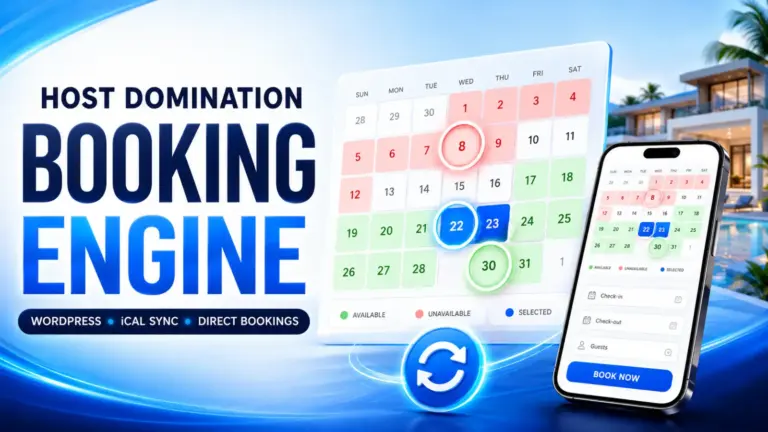
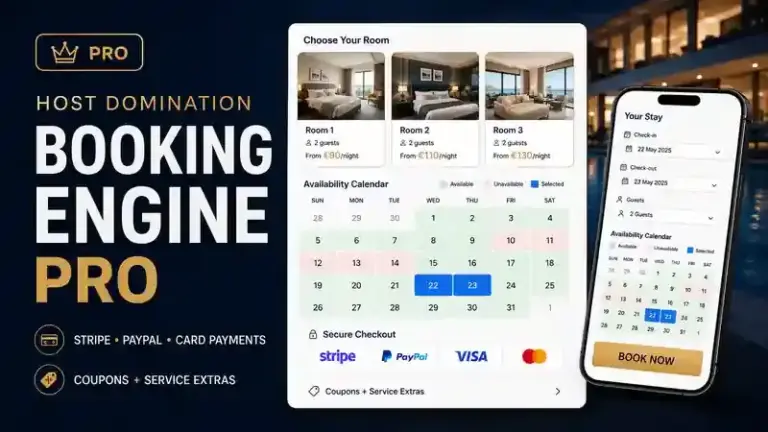
With Host Domination Booking Engine, for example, you can manage the availability of your WordPress site together with calendars from external portals, avoiding having to manage each direct booking separately.
The result is a structure such as:
Airbnb
↕
Central calendar / Booking Engine
↕
Booking.com
↕
Direct bookings from the site
In this way, the official website also enters the availability management system.
iCal or Channel Manager: What’s the difference?
iCal and Channel Manager solve similar problems, but they are not the same thing.
iCal
iCal is generally:
- simple;
- widely compatible;
- suitable for the exchange of unavailability;
- easy to set up;
- It can also be used by very small structures.
The main limitation is that updates depend on the synchronization intervals of the various platforms.
Channel Manager
A Channel Manager instead, it is a system designed to distribute and update much more information through different portals.
Depending on the integrations available, it can manage:
- availability;
- inventory;
- prices;
- restrictions;
- minimum stays;
- different types of rooms;
- multiple sales channels.
It is generally used when distribution management becomes more complex.
When can iCal be enough?
For many owners of:
- tourist apartments;
- holiday homes;
- small B&B;
- guest houses;
- structures with few units;
syncing calendars using iCal can be an easy solution to get started.
Especially when the main need is:
prevent a room or apartment that has already been booked from continuing to be available on other channels.
On the other hand, if you need to automatically distribute prices, inventory, restrictions, and numerous units across many portals, you may need to consider a more advanced solution.
Does iCal completely eliminate the risk of overbooking?
No.
It is more correct to say that proper iCal synchronization significantly reduces the risk, but you don’t have to promise real-time synchronization.
Imagine this scenario:
- at 15:00 a reservation arrives on Airbnb;
- Airbnb updates its calendar immediately;
- Booking.com has not yet checked the iCal feed;
- For a given range, those dates may still be available on Booking.com.
If a second booking arrives during this window, a conflict may occur.
The likelihood depends on the volume of bookings, the frequency of updates, and the number of channels used.
Common mistakes in Airbnb and Booking.com sync
1. Connect the calendar only in one direction
It is probably the most frequent mistake.
Keep in mind:
Airbnb → Booking.com
e
Booking.com → Airbnb
are two distinct links.
2. Using the Wrong Facility Calendar
If you manage several apartments, carefully check which feed you are exporting.
The calendar of:
Apartment Rome Center
It must be connected to the same unit as on the other platform.
3. Confusing iCal with Price Synchronization
Connecting calendars doesn’t mean that a rate change on Airbnb is automatically applied on Booking.com.
Prices and availability are different information.
4. Thinking that synchronization is immediate
iCal is read periodically.
A booking should therefore not be automatically considered to be present on all platforms a few seconds after confirmation.
5. Don’t check your calendar after setup
Always give it a try.
A seemingly correct configuration could refer to the wrong drive or an old link.
6. Share the iCal link publicly
The calendar link should not be published.
Keep it only in the systems that really need to import it.
Airbnb is not syncing Booking.com calendar: what to check?
If the dates aren’t updated correctly, check in order:
1. Is the calendar still connected?
Check that the Booking.com feed is listed in the calendars imported to Airbnb.
2. Is the iCal link correct?
If you deleted and recreated a calendar, make sure that you’re using the most recent address.
3. Are you checking the correct structure?
This is especially important if you manage multiple ads.
4. When was the last update made?
Airbnb shows the latest update of imported calendars and also allows a manual refresh.
5. Is the issue related to a reservation or availability rule?
A restriction set on Booking.com is not necessarily transmitted through iCal as a reservation.
Booking.com Airbnb calendar won’t sync: what to do?
Also in this case it verifies:
- that the Airbnb calendar is actually imported;
- that the link belongs to the correct ad;
- that the import is still active;
- that it is not simply a delay in the update;
- iCal sync functionality is available for your Booking.com property setup.
The interface and functionality available in the extranet may differ depending on the structure.
How to sync Airbnb, Booking.com, and direct bookings
If you want to increase direct bookings, the ideal setup shouldn’t stop at OTAs.
Your site can become an additional sales channel.
A guest could then:
- visit your site;
- check available dates;
- send an enquiry or book directly;
- automatically make that period unavailable in the calendar used for other channels as well.
This is where a Booking Engine for WordPress.
Host Domination Booking Engine
Host Domination Booking Engine is designed to allow owners and managers of accommodation facilities to add an availability and direct booking system to their WordPress site.
You can thus combine bookings from Airbnb and Booking.com also those obtained through your official website.
The goal is simple:
More control over availability and more chances to receive direct bookings.
[CTA: SCOPRI HOST DOMINATION BOOKING ENGINE]
Frequently asked questions about Airbnb and Booking.com sync
Can I sync Airbnb and Booking.com for free?
The iCal function allows you to connect compatible calendars without necessarily using a Channel Manager.
However, the availability of features may depend on the features and configuration of individual accounts.
Can Airbnb and Booking.com sync directly?
Yes, when both accounts provide iCal import and export.
You need to export the calendar from one platform and import it into the other.
For a two-way sync, you must repeat the operation in the opposite direction as well.
How to synchronize the Booking calendar with Airbnb?
Export the calendar from the sync section of the Booking.com Extranet, copy the iCal link to it, and import it into the connected calendars section of your Airbnb listing.
How to sync Airbnb calendar with Booking.com?
Copy the Airbnb calendar export link and add it as an external calendar within the sync feature available in the Extranet Booking.com.
How long does it take for Airbnb to update an external calendar?
Airbnb currently indicates that imported calendars are automatically updated every 3 hours. You can also manually request an update of the linked calendar.
Does iCal also sync prices?
No. iCal sync should not be considered an automatic rate sync system between Airbnb and Booking.com.
Does iCal sync guest data?
iCal is mainly used for sharing events and calendar unavailability. It does not replace a PMS or a Channel Manager for the complete management of booking data.
Can I also connect my site’s calendar?
Yes, if the Booking Engine or booking system used by your site supports the import and/or export of iCal calendars.
It is a particularly interesting solution for those who want to continue using Airbnb and Booking.com but, at the same time, start receiving Direct bookings from your website.
Sync calendars Airbnb and Booking.com through iCal It is one of the first steps to be taken when the same structure is published on several portals.
The complete configuration includes:
1. Export Airbnb
2. Import it to Booking.com
3. Export Booking.com
4. Import it to Airbnb
In this way, the two platforms can periodically exchange information relating to the dates occupied.
However, iCal remains a periodic synchronization and should not be confused with a real-time connection or a full Channel Manager.
If in addition to Airbnb and Booking.com you want to start receiving commission-free bookings directly from your WordPress site, you can add an iCal-compatible Booking Engine and also integrate your direct channel into your availability management.
Host Domination Booking Engine allows you to transform your WordPress site into a direct booking channel and connect it to the management of your facilities’ calendars: Download our Free Booking Engine.