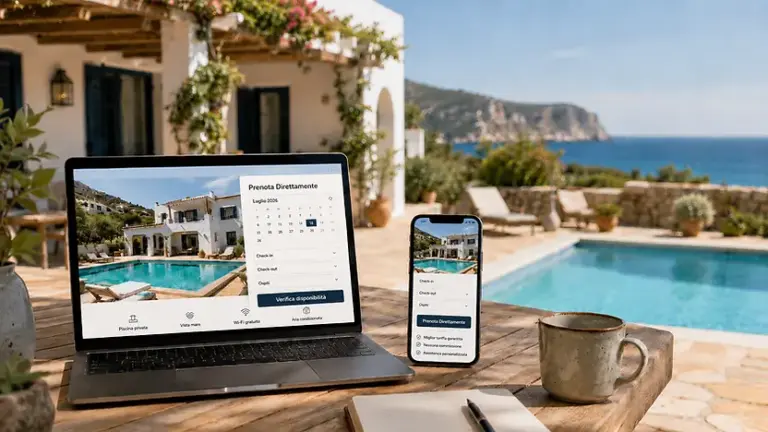

If you manage a Holiday home, one B&B or more apartments, you may find yourself using a Booking Engine and a Channel Manager.
At first glance, they seem to be two very similar instruments.
Both talk about:
- reservations;
- availability;
- calendars;
- Airbnb;
- Booking.com;
- Housing management.
In reality, they perform two different functions.
The fundamental distinction is this:
The Booking Engine is used to receive bookings directly from your website.
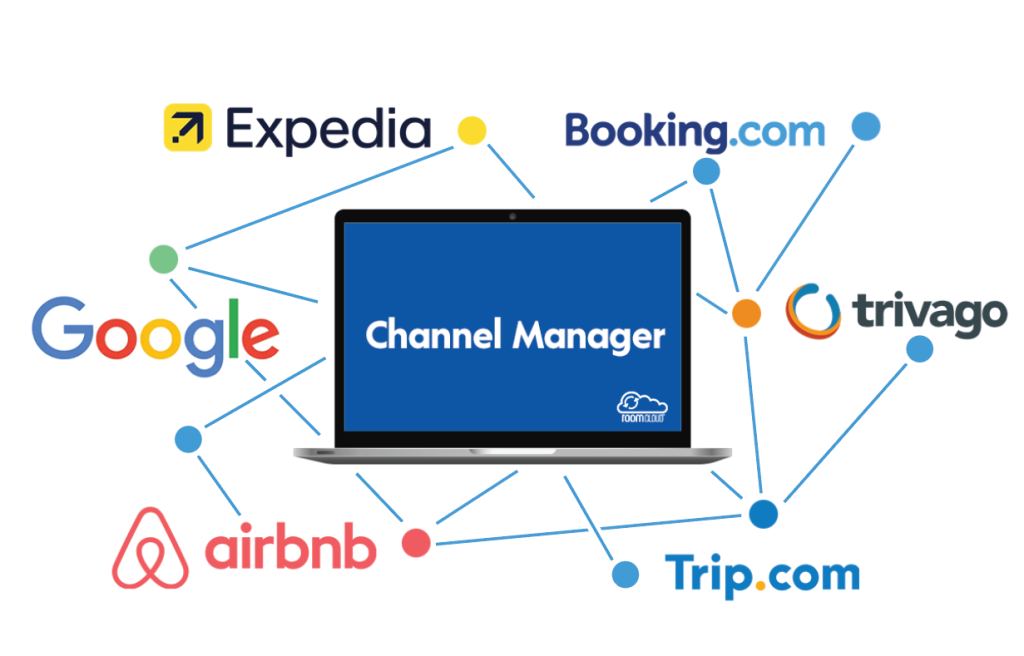
The Channel Manager is used to synchronize and distribute availability, prices and other data across channels.
For this reason Booking Engine and Channel Manager can be used together.
In fact, for properties that work with Airbnb at the same time, Booking.com and direct bookings, it’s one of the most common setups.
Let’s see how it works.
What is a Booking Engine?
A Booking Engine It is the system that allows a potential guest to make a reservation directly from the property’s website.
The path is:
User search for the property
↓
Visit the official website
↓
Check availability
↓
Choose check-in and check-out
↓
Send or complete your booking
Depending on the software, the Booking Engine can manage:
- availability;
- calendar;
- prices;
- number of guests;
- extra services;
- booking requests;
- payments;
- confirmations;
- email;
- discount codes;
- rules of stay.
Its main objective is to transform the Official website in a booking channel.
What is a Channel Manager?
The Channel Manager has a different goal.
It is used to centrally manage the channels on which you sell your rooms or apartments.
For example:
Airbnb
Booking.com
Other portals
Airbnb defines the Channel Manager as a software that allows hosts to centralize property data, such as Availability and prices, and distribute them to different online channels.
A typical configuration can therefore be:
Airbnb
↕
Channel Manager
↕
Booking.com
The Channel Manager becomes a central point to keep the different channels consistent.
Booking Engine and Channel Manager are therefore the same thing?
No.
The difference can be summed up very simply.
| Tool | Main function |
|---|---|
| Booking Engine | Receive bookings directly from the website |
| Channel Manager | Synchronize and distribute data to OTAs and other channels |
| PMS | Operationally manage the structure and reservations |
| iCal | Exchange mostly calendar information |
A Booking Engine can have synchronization functions.
A Channel Manager can include a Booking Engine.
A PMS can include both.
But conceptually they remain different tools.
Why use Booking Engine and Channel Manager together?
Because they allow you to manage two booking sources at the same time:
OTA
such as:
Airbnb
Booking.com
Direct bookings
through:
Your official website
The system can then become:
Airbnb
↕
Channel Manager
↕
Booking Engine / Site
↕
Booking.com
The goal is to have consistent availability regardless of the channel from which the booking comes.
Practical example
Let’s say you have:
Rome Vacation Rentals
Published on:
- Airbnb;
- Booking.com;
- official website.
The calendar shows free:
August 10-15
A customer visits your site and books those dates through the Booking Engine.
At that point a fundamental thing must happen:
Airbnb and Booking.com must not continue to sell on August 10-15.
In an integrated configuration, the booking is recorded in the central system and the new availability is transmitted to the connected channels.
The ideal flow is:
Direct booking
↓
Booking Engine
↓
Central System / Channel Manager
↓
Updated availability
↓
Airbnb + Booking.com
The same dates are then closed on the other channels.
What happens if the booking comes from Booking.com?
The process works the other way around.
Customer book on Booking.com
↓
Booking.com register your booking
↓
Channel Manager receives the booking
↓
Updated inventory
↓
Booking Engine shows blackout dates
Booking.com has APIs dedicated to managing reservations and inventory. Its Reservations API allows connected providers to receive new reservations, changes and cancellations and to update copies of inventory to reduce the risk of overbooking.
What if the booking comes from Airbnb?
The principle remains the same:
Airbnb booking
↓
Channel Manager
↓
Updated availability
↓
Booking Engine
↓
Booking.com
Airbnb supports software connections with PMS and Channel Manager and allows, depending on the configuration, to synchronize Pricing and Availability or a more complete set of information from the ad.
The main benefit: a centralized inventory
The most important concept is that of Inventory.
Let’s say you have only one apartment.
For the period:
August 10-15
You have:
1 unit available
It doesn’t matter if that unit is sold by:
- Airbnb;
- Booking.com;
- direct site.
Once booked, availability must become:
0
on all other channels.
This is the principle behind proper synchronization.
Booking Engine + Channel Manager: How are they synced?
There is no single method that applies to all software.
It depends on the integrations offered by the systems used.
There are mainly two most common configurations.
Method 1: API Integration
It is the most advanced solution.
The Booking Engine, PMS or central system communicates directly with the Channel Manager via API.
The flow can be:
Booking Engine
⇅ API
Channel Manager
⇅ API
Airbnb / Booking.com
In this case, much more complete data can be transferred.
For example:
- reservations;
- availability;
- prices;
- inventory;
- restrictions;
- modifications;
- cancellations.
Booking.com provides connectivity providers with specific APIs for Rates & Availability, reservations, promotions, content, and other features.
Method 2: iCal Sync
The second solution is simpler.
The Booking Engine and other systems communicate using calendars iCal / ICS.
For example:
Booking.com → iCal → Booking Engine
Airbnb → iCal → Booking Engine
e:
Booking Engine → iCal → OTA or external system
In this case, the synchronization mainly concerns the busy dates and unavailability.
You should not consider it equivalent to a full API integration.
iCal and Channel Manager: attention to the difference
This point is fundamental.
If you connect a Booking Engine to OTAs through iCal, you can sync your calendar, but it doesn’t mean that you automatically created a Channel Manager.
With iCal, you can have:
Airbnb ⇄ availability ⇄ Booking Engine
e:
Booking.com ⇄ Availability ⇄ Booking Engine
But not necessarily:
Pricing
Restrictions
Course contents
Messages
Promotions
Advanced Inventory
Airbnb, on the other hand, allows software connected via PMS/Channel Manager to synchronize pricing and availability via software integration.
Booking.com also has a Rates & Availability API dedicated to Connectivity Partners.
Booking Engine with iCal or Booking Engine + Channel Manager?
It depends on how complex the structure is.
Easy setup
A vacation rental might use:
Airbnb
↕ iCal
Booking Engine
↕ iCal
Booking.com
This configuration can be sufficient if you want above all:
- receive direct bookings;
- synchronize dates;
- avoid manually blocking calendars;
- manage OTA prices separately.
Advanced configuration
A property with multiple rooms might use:
Airbnb
↕ API
Channel Manager / PMS
↕ API
Booking.com
↕
Booking Engine
Here the central system can manage:
- inventory;
- availability;
- prices;
- reservations;
- restrictions;
- multiple rooms;
- multiple portals.
It’s a more complex setup, but also more powerful.
Host Domination Booking Engine is a Channel Manager?
No.
It is important to be precise.
Host Domination Booking Engine is a WordPress Booking Engine with iCal/ICS calendar sync.
The official documentation specifies that it is not a full PMS or Channel Manager and that it does not synchronize elements such as platform prices, messages, reviews or content through the OTAs’ private APIs.
Its main objective is:
Bring direct bookings to your WordPress site
and at the same time:
Maintain coordinated availability with compatible external calendars.
How does Host Domination Booking Engine work with Airbnb and Booking.com?
You can import iCal/ICS calendars from OTAs.
For example:
Airbnb → iCal → Host Domination
e:
Booking.com → iCal → Host Domination
The Booking Engine uses these calendars to show dates that are not available on the site.
At the same time, it can generate an iCal feed of the site’s calendar for use in compatible external systems.
The concept is:
Airbnb
↕ iCal
Host Domination Booking Engine
↕ iCal
Booking.com
direct bookings from the website
So Host Domination Booking Engine can work together with a Channel Manager?
Yes, if the Channel Manager or PMS used provides compatible iCal/ICS calendar feeds.
In this scenario, it is generally preferable to design a clear structure.
For example:
Airbnb
↕ API
Channel Manager
↕ API
Booking.com
↓
iCal feed
↓
Host Domination Booking Engine
↓
WordPress site
The Channel Manager continues to take care of advanced connections with OTAs.
Host Domination Booking Engine deals with the Direct channel on the site and use the compatible calendar to find out about unavailability.
Warning: Host Domination does not synchronize OTA rates
Let’s say you set up on your site:
100 €
and on Booking.com:
120 €
iCal synchronization does not automatically turn the Booking.com price into 100 €.
Similarly, if you edit Airbnb:
150 €
Host Domination does not receive that fare through iCal.
The calendar is mainly used to communicate:
Free
or:
Busy
The management of OTA prices therefore remains separate or entrusted to a real Channel Manager.
Is it possible to have different prices between site and OTA?
Yes.
And it can be perfectly intentional.
For example:
Direct site: 100 €
Airbnb: 110 €
Booking.com: 115 €
The Booking Engine can have its own price list, while the Channel Manager manages those of the OTAs.
Of course, the pricing strategy must be configured in accordance with the commercial conditions applicable to the portals used.
But technically it is not necessary that:
Booking Engine = Airbnb = Booking.com
always have the same price.
Why can it be useful to have a Booking Engine even if I already have a Channel Manager?
Why the Channel Manager It’s not necessarily the point through which the customer books on your site.
The Booking Engine allows you to turn site traffic into bookings.
Without Booking Engine you may have:
user visits the site
↓
click Booking.com
↓
Book on Booking.com
With the Booking Engine:
user visits the site
↓
Check availability
↓
Book direct
The customer then stays within your direct channel.
Why use a Channel Manager if I already have a Booking Engine?
For the opposite reason.
The Booking Engine manages the Direct Channel, but if you’re on a lot of OTAs, you’ll still need to keep the following aligned:
- prices;
- availability;
- rooms;
- restrictions;
- inventory.
This is where the Channel Manager steps in.
In other words:
Booking Engine → sells on the site
Channel Manager → coordinates channels
Booking Engine + Channel Manager + PMS
For more organized structures there is also a third component.
The PMS.
A possible architecture becomes:
Airbnb
↕
Channel Manager
↕
PMS
↕
Booking Engine
↕
Booking.com
The PMS becomes the operational heart.
It can collect:
- reservations;
- customers;
- check-in;
- check-out;
- payments;
- planning;
- housekeeping;
- documentation.
Channel Manager and Booking Engine perform more specific functions.
What is the primary source of the data?
When using different software it is very important to establish a source of truth, i.e. the main source.
You need to know clearly:
Where do I change prices?
Where do I change the availability?
Where do I create a manual booking?
Where do I block a date?
If you change the same data at the same time in four different platforms, you risk creating conflicts.
Airbnb, for example, allows connected software to use full or limited synchronization Pricing and Availability and specifies that some changes made directly on Airbnb may overwrite the data coming from the software.
A well-designed setup must therefore determine who controls what.
Avoid duplicate syncs
A common mistake is to connect everything with everything.
For example:
Airbnb → Channel Manager
Airbnb → Booking Engine
Channel Manager → Booking Engine
Booking Engine → Airbnb
Booking.com → Channel Manager
Booking.com → Booking Engine
In some cases, it can work.
But it can also become very difficult to understand:
Who blocked this date?
Where does this booking come from?
Why is the room occupied?
Good architecture must be as simple as possible.
Recommended configuration with Channel Manager
If you already use a full-fledged Channel Manager, it generally makes sense for it to maintain API connections with OTAs.
For example:
Airbnb
↕
Channel Manager
↕
Booking.com
and then:
Channel Manager
↕
Booking Engine
This reduces the number of cross-links.
Recommended configuration without Channel Manager
If, on the other hand, you manage one or a few facilities, you can use:
Airbnb
↕ iCal
Booking Engine
↕ iCal
Booking.com
This solution is easier and can be enough when you want to synchronize dates above all.
However, you won’t have the same centralized management of prices and restrictions offered by an integrated Channel Manager.
Example: A vacation rental
You have:
1 bedroom apartment
Airbnb
Booking.com
WordPress site
You could use:
Airbnb ⇄ iCal ⇄ Booking Engine ⇄ iCal ⇄ Booking.com
For a simple structure, this solution can be more than enough.
The Booking Engine receives direct bookings and the calendar is kept coordinated with OTAs.
Example: B&B with 10 rooms
You have:
10 rooms
Airbnb
Booking.com
Other OTAs
Website
and change rates and restrictions frequently.
In this case, a more suitable configuration can be:
OTA
↓
Channel Manager / PMS
↓
centralized inventory
↓
Booking Engine
The complexity is high enough to warrant a more advanced system.
Booking Engine and Channel Manager reduce overbookings?
A correct configuration can greatly reduce the risk.
The rule is simple:
A reservation received from any channel needs to quickly update the inventory used by the other channels.
Booking.com describes updating inventory copies as part of the process used by connected providers to avoid overbooking.
Airbnb points to the benefits of Channel Managers as reducing availability discrepancies between different channels.
However, no system should be considered foolproof: incorrect mappings, connection problems or wrong configurations can still create problems.
What does mapping mean?
When you connect a Channel Manager, you need to associate each facility or room correctly.
For example:
Deluxe Room in the PMS
=
Deluxe Room on Booking.com
=
Deluxe Room on Airbnb
This association is called Mapping.
Airbnb includes listing ID mapping among the steps necessary to set up a Channel Manager.
Incorrect mapping can cause serious availability issues.
Booking Engine and Channel Manager: summary table
| Function | Booking Engine | Channel Manager |
|---|---|---|
| Reservations from the site | ✅ | Not the main function |
| Availability calendar | ✅ | ✅ |
| OTA Link | It depends | ✅ |
| OTA Price Sync | Depends on integration | ✅* |
| Multi-OTA Inventory Management | Limited | ✅ |
| Direct payments on the site | ✅* | It depends |
| Direct bookings | ✅ | Not the main function |
| Site Fees | ✅ | It depends |
| Airbnb Rates/Booking.com | No with simple iCal | ✅* |
| iCal Sync | Often available | Often available |
| OTA API Connections | Only a few systems | ✅* |
*Depends on software and integrations enabled.
Do I need both?
Not necessarily.
You may need a Booking Engine with iCal if:
- manage one or a few facilities;
- you mainly use Airbnb and Booking.com;
- you want to receive direct bookings;
- you are especially interested in synchronizing dates;
- manage OTA fees separately.
You may also need a Channel Manager if:
- you manage many rooms;
- you have numerous apartments;
- you use a lot of OTAs;
- change prices often;
- you need to sync restrictions;
- you want to centralize inventory;
- you want to avoid constantly entering the different Extranets.
Host Domination Booking Engine: When can it be enough without Channel Manager?
For a small host, it can be useful when the goal is:
Direct bookings + calendar synchronization
Host Domination Booking Engine allows you to:
- receive booking requests from the site;
- manage availability;
- set prices and minimum stay;
- import external iCal/ICS calendars;
- Export the site calendar.
The PRO version adds features such as more calendars, more iCal connections, advanced pricing, and online payments.
For a property that does not yet need a full API synchronization of OTA rates, it can therefore be a simpler solution.
When to add a Channel Manager?
When the problem is no longer just:
“I have to block the same dates.”
but it becomes:
“I have to keep pricing, availability, inventory, and restrictions in sync across many channels.”
That’s when the Channel Manager adds a layer of management that simple iCal can’t offer.
Conclusion
Booking Engine and Channel Manager are not competitors.
They solve two different problems.
The Booking Engine allows you to:
receive reservations directly from your website.
The Channel Manager allows you to:
manage and distribute availability, pricing, and other data across channels.
Used together they can create an ecosystem such as:
Airbnb
↕
Channel Manager
↕
Booking Engine
↕
Booking.com
However, the precise way in which synchronization takes place depends on the technology used.
With true API integration, you can synchronize much more complete information.
With iCal, on the other hand, mainly the calendar unavailability.
Host Domination Booking Engine belongs to this second category: it is a WordPress Booking Engine with iCal/ICS synchronization, not a Channel Manager API.
This means that it can be used on its own by small hosts to:
Direct bookings + synchronized calendar
or be included in a larger ecosystem together with a PMS or Channel Manager that provides compatible calendars.
The choice therefore depends on the complexity of the structure:
few accommodations + few OTAs → Booking Engine + iCal may be sufficient
many accommodations + many OTAs + dynamic rates → Booking Engine + Channel Manager/PMS can be much more efficient
FAQs about Booking Engine and Channel Manager
Booking Engine and Channel Manager are the same?
No. The Booking Engine is mainly used to receive bookings from the site; the Channel Manager is used to synchronize and distribute data to different channels.
Can I use Booking Engine and Channel Manager together?
Yes. It’s a common configuration: the Booking Engine manages the direct channel while the Channel Manager keeps the OTAs coordinated.
How does a Booking.com booking arrive at the Booking Engine?
It depends on the integration used. In an API system, the booking can go through the Channel Manager/PMS. In an iCal system, the Booking Engine mainly receives calendar unavailability.
Can a Booking Engine sync with Airbnb?
Yes, if it supports a compatible method. For example, Host Domination Booking Engine can import external iCal/ICS calendars, while some software uses more advanced API integrations.
Is iCal enough instead of a Channel Manager?
It can be if you primarily want to sync the dates of one or a few properties. However, it doesn’t automatically sync prices, restrictions, and all data managed by an API connection.
Does the Channel Manager also synchronize prices?
It can do so if it has the relevant integrations. Airbnb supports a dedicated pricing and availability software mode, while Booking.com offers providers a Rates & Availability API.
Host Domination Booking Engine is a Channel Manager?
No. It is a WordPress Booking Engine with iCal/ICS sync. The documentation specifies that it does not use OTAs’ private APIs to sync prices, messages, reviews, or content.
Can I use Host Domination Booking Engine with a Channel Manager?
Yes, if the external system provides a compatible iCal/ICS feed to be used for availability synchronization. The specific compatibility must be checked on the channel manager used.
If I have a Channel Manager, do I still need a Booking Engine?
If you want to receive bookings directly from your website, you may need it. Some Channel Managers already include a Booking Engine, while in other cases a separate system is used.
What is the best configuration for a single vacation rental?
If you primarily use Airbnb and Booking.com and want to add direct bookings, an iCal sync Booking Engine may be sufficient.
And for a B&B with many rooms?
With many rooms, multiple OTAs, and frequent rate changes, it generally becomes more useful to use a Channel Manager or PMS with API integrations, alongside a Booking Engine for direct bookings.